
Most people find it simple to write emails to friends or family members. However, writing a business email to a client or a boss can feel intimidating. One wrong word or sentence could cause miscommunication.
So if you’re looking to write the perfect business email, then this is the right place for it! In this blog post, we will walk you through the step-by-step process involved in writing an effective business email and help you improve your overall business communication!
Are you ready to get started? Then jump right in! But before we talk about how to write one, it’s important to first understand what a business email actually is.
What is a Business Email?
A business email is simply an email used by a specific organization or company. It is a crucial communication tool for employees, customers, stakeholders, subscribers, and other external organizations.
Business emails are mainly used to market products, support customers, manage complaints, share updates and information, and more. In a nutshell, it is the lifeblood of an organization’s communication.
Now that you understand what a business email is and why it plays such an important role in professional communication, the next step is learning how to structure it properly. A well-structured email makes your message clearer, easier to read, and more professional. Let’s take a look at the standard format most business emails follow.
The Standard Structure of a Professional Business Email
A well-written business email usually follows a simple and clear structure. When you organize your email properly, it helps readers quickly grasp what you are trying to say and respond quickly.
A typical business email includes five core parts:
- Subject line
- Formal greeting
- Email body
- Closing phrase/sign-off
- Signature
Following the above email writing format will help you structure and write your business email quickly and effectively in a few minutes.
Now that you understand the basic structure, let’s move on to the next step and learn how to write a business email effectively.
Read more: Product Launch Email: How to Write Emails That Drive Sale
How to Write a Professional Business Email? (Steps)
To write a professional business email, you need a clear structure and the right approach. The steps below will help you write a professional business email the right way.
1. Know Your Audience
The first and foremost thing you need to do before you start to write a business email is to get to know your audience. HOW you write your email is purely dependent on WHO you write to. So you need to ask yourself – who is my audience?

Your audience will determine everything about your email, from its tone to its content. So make sure to do proper research on the reader of your email, their background, knowledge, and anything else that will give you an idea of who they are. Doing this will also help you write a more compelling email to them.
Read more: Target Audience: How to Identify and Reach the Right People
2. Include a Subject Line
No denying that a subject line says a lot. After all, it is pretty much the first thing that your reader will see before even opening your business email. So whether or not they decide to open your email purely depends on what your subject line is and how it is written.
Make sure that the subject line on your business email is simple, specific, crisp, and eye-catching. It must contain keywords that will briefly summarize and convey the content of your message at a glance.
3. Start With a Greeting
Every email must start with a greeting. It should be crisp, concise, and formal. Depending on the context of the message you are sending, you can choose to address a person specifically by their name. But there are times when you won’t mention a name if you are sending it to an unspecified person.
Some of the most common examples of greetings that you can include in your business email are Greetings, Good Morning, Good afternoon, Good evening, or simply Dear Dr./Mr./Miss/Mrs., etc.
Read more: Email Greetings at Work: How to Stay Professional
4. Include a Short Pleasantry
The next thing you should do is to start your business email with a short pleasantry. Include an opening line that connects you and the recipient of the email.
This can include a line talking about how you connected with the reader so that they are reminded of your interaction and have the context for your email.
For example, it was great meeting you at last day’s networking event.
If you received something from the recipient, then you can start your pleasantry by thanking them for offering their advice or assistance, or for sending information or content.
For example: Thank you for sharing your article on business strategies. They were extremely useful, and I appreciate the time and effort you are taking to help me with my project.
If you wish to keep your business email general, then you can simply wish them by saying something like – I hope you’re well.

5. Write the Email body
Time to get to the real deal now – the body of the email.
Your email body must follow the email practice called the ‘one thing rule‘ and only focus on one action instead of multiple. When several actions are mentioned in an email, it creates confusion. You should always include just one thing for the reader to understand quickly.
Define the purpose of your email at the very beginning. Be specific and direct about what the email is about.
For example, this email is in reference to the budget meeting we had last Wednesday. I have created a rough outline of the budget based on expected expenses and additional costs. Please provide your feedback on the budget.
You must understand that no one likes long emails. The longer your email, the lower the chances of your readers reading it. So make sure that you write short paragraphs with a few sentences. Simply, keep it short, sweet, and simple.
You can even add numbered lists or bulleted points so that it’s easier for your readers to comprehend.
6. Include Additional Information
Sometimes, readers might require additional information about certain things, such as links to resources, clarification on tasks and activities, samples, etc. Therefore, you must make it a point to include all relevant content or details in your business email.
7. Write a Call to Action (CTA)
Usually, the main objective of sending a business email is to accomplish a task or action. So by the end of the email, you need to state clearly what the reader is expected to do.
Ensure that you write a specific call-to-action or CTA so that there is no room for confusion or misinterpretation, and your reader has a full understanding of what they are supposed to do. This will allow them to respond more effectively, and you will get the desired result as well.
8. Wrap Up the Email
Now you’re almost done with the business email; all you have left to do is wrap it up with a well-constructed closing line. You can start by thanking your reader to end the email on a positive note.
For example – Thank you for your time OR Thanks for your consideration, I look forward to your response/I hope to hear from you soon.
Finally, you can use a closing line or phrase to wrap up the whole thing. Some of the most common and suitable closing phrases include ‘Best regards/Kind regards, ‘Yours sincerely, ‘Best Wishes, ‘Warmly, etc.
9. Name and Provide Contact Information
Lastly, sign your name at the end of the email and offer your contact information under it. You can provide your full name in case of a formal email or just your first name if it’s an informal one. Also, include your contact information, such as your phone number, address, or website.
Now that you know how to write a professional business email step by step, it can be helpful to see what one actually looks like in practice. Real examples make it easier to understand how the structure, tone, and message come together in a professional setting.
Below are a few common business email examples that show how you can write clear, polite, and effective emails for different situations.
Examples of Professional Business Emails
Below are a few common business email examples you can use as a reference.
1. Meeting Request Email
Subject: Request to Schedule a Meeting
Dear Sarah,
I hope you are doing well.
I would like to have a brief meeting to discuss the progress of the project and strategize further actions. Give me a time that will suit you this week.
Looking forward to your response.
Best regards,
John Carter
2. Follow-Up Email
Subject: Following Up on Our Previous Conversation
Hi Michael,
I hope you’re having a great day.
I wanted to follow up on the marketing proposal from my last email. Let me know if you’ve been able to look it over or if there’s any additional information I can provide.
Looking forward to hearing from you.
Best regards,
Emma Wilson
3. Client Inquiry Email
Subject: Inquiry About Your Services
Dear Team,
I recently discovered your company during my search for digital marketing services and would love to learn more about what you offer.
Could you please share more information about your pricing and service packages?
Thank you for your time, and I look forward to your response.
Sincerely,
David Lee
4. Thank You Email
Subject: Thank You for Your Support
Dear Lisa,
Thank you for taking the time to meet with me today. I really appreciate your insights and suggestions regarding the project.
I look forward to working together and moving ahead with the next steps.
Best regards,
Daniel Roberts
5. Job Application Email
Subject: Application for the Digital Marketing Executive Position
Dear Hiring Manager,
I hope you are doing well.
I’m writing to share my interest in the Digital Marketing Executive position with your company. My resume is attached for your review, and I would be happy to discuss how my skills and experience could benefit your team.
Thank you for your time and consideration.
Sincerely,
Emily Parker
Now, to make your business email more effective, here are some tips and tricks you need to keep in mind during the process. Let’s take a look!
Read more: Improve Email Open Rates with these 11 Powerful Tips & Tricks!
Tips for Writing a Professional Business Email
Here are a few simple tips that will help you write better and more professional business emails.
1. Use a Formal Tone
Your business email must always have a professional and formal tone. It should be courteous, straightforward, and confident.
So try to avoid using any sort of informal language, emotional phrasings, abbreviations, or contractions. Not to mention, use full-length phrases or sentences to appear more formal.
2. Focus on the Format
The thing about email is that not everyone has the time to carefully or thoroughly read them. So most people skim through it. For this reason, you must ensure that your email follows distraction-free and seamless formatting.
Ensure that there is enough white space around, make paragraphs shorter, include bullet points and lists, and break up concepts with headings and titles. This will allow your readers to easily skim through the email.
3. Proofread. Proofread. Proofread.
Lastly, no piece of writing is complete without a round of proofreading. After all, it is in human nature to make mistakes and errors.
So make sure that your email is free from poor grammar, spelling errors, typos, awkward sentence structures, punctuation mistakes, and more. Make use of a grammar checker or writing checker software to ensure that your email is top-notch!
… and voila – you are all set to write a business email! And we are sure you are itching to get started and wow your audience with amazing content.
Now that you’re a pro when it comes to drafting a professional business email, we have a bonus tip for you!
BONUS TIP: Have you ever needed to create a business email that has buttons, headings, images, rich links, and more? We understand that there are times when you need to email business announcements, PR updates, weekly team recaps, customer-related emails, and more.
We have a platform that will impress your audience and allow you to create beautiful, professional interactive emails in minutes! Read on to learn more!
Read more: 7 Types of Emails You Must Send to Your Customers!
Elink.io: The Perfect Tool to Create Business Email Newsletters!
If you’re running a business, chances are you are super busy and need help to create beautiful, interactive business emails quickly!
Luckily, we have something that will help you create amazing HTML-based business emails – elink.io. It is the fastest and easiest way to create and send beautifully looking and responsive emails in minutes!
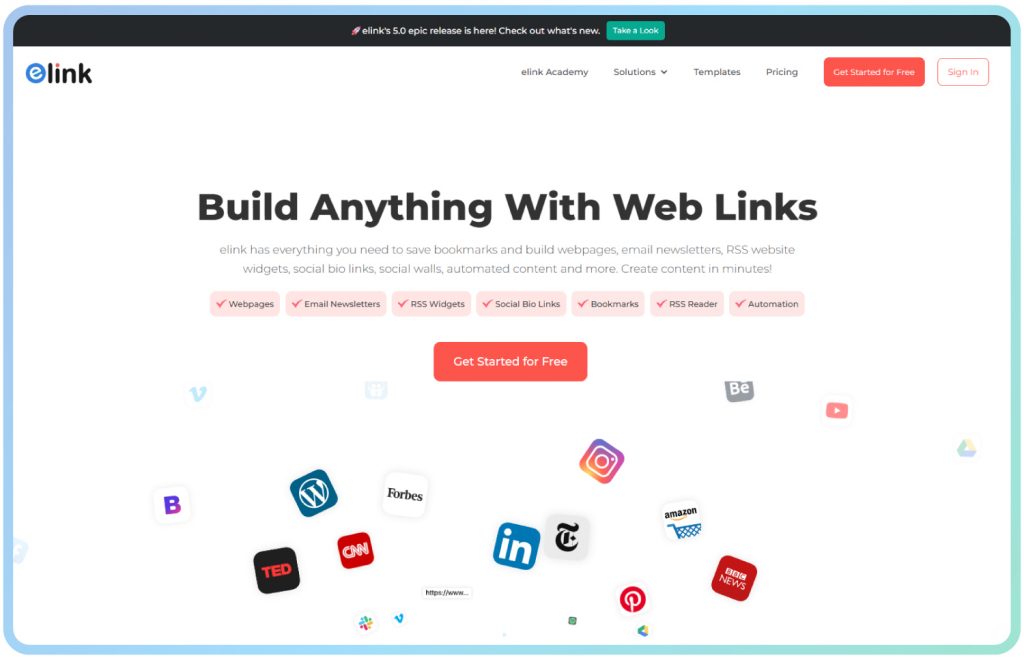
elink is light on the budget, easy to use, and comes with all the features you need to create and share stunning business emails that people want to click through.
The platform has a huge collection of fully responsive templates! You can choose a template, add links to the content you need to share, and elink will create a stunning, fully responsive interactive business email for you right away!
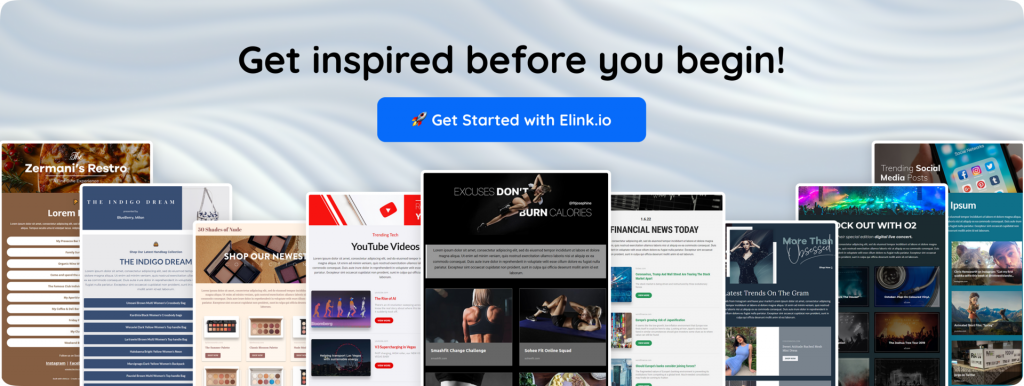
Have a look at these elink templates to get an idea of what we’re talking about!

The best part about these templates is that you can customize them however you want. This means that you can add your images, text, bullet lists, numbered lists, buttons, social icons, and dividers to the header and footer of your business email.
And, the most amazing feature of elink is content automation! It allows you to automate content creation for your business emails. All you have to do is pick sources and add filters to make your content more effective and relevant.
Let’s discuss all the amazing features of elink.io for Business Email Newsletters:
✔ Create Beautiful HTML Newsletters Quickly: You can create professional HTML newsletters in minutes by simply adding links. The platform automatically converts links into visual content blocks with images, titles, and descriptions.
✔ 50+ Responsive Newsletter Layouts: Choose from more than 50 responsive layouts that work across devices.
✔ Curate Content From Anywhere: Add links from articles, websites, YouTube videos, social media posts, and more. elink automatically converts them into visually attractive newsletter sections.
✔ RSS Feed Integration: You can connect RSS feeds and automatically pull the latest articles or updates into your newsletters. This makes it easy to create weekly or monthly content digests.
✔ Automation for Faster Publishing: Schedule content creation and automate newsletters using RSS feeds or bookmark folders to save time.
✔ Integration With Email Platforms: Once your newsletter is ready, you can send it through platforms like Gmail or integrate it with tools such as Mailchimp or many other platforms for email campaigns.
✔ Share and Publish Anywhere: Besides sending newsletters via email, you can also share them as web pages, embed them on your website, or distribute them through social media.
So whether it is to create a company announcement or share industry news with your clients, elink.io is the perfect tool for you!
Read More: Create Professional Looking Newsletters Using Elink! Templates & Examples
Conclusion
Business emails are a key component in achieving your business goals. Use them the right way, and you will see them do wonders for your business!
Writing business emails may not have been your area of expertise, but we hope that this blog post has changed that for you!
Now, all that’s left for you to do is go to elink, craft your business email, and start sending them out! Happy emailing, folks! Ciao!
FAQs
1. What is a business email?
A business email is a professional message sent for work or business communication. It is commonly used to share information, make requests, send updates, or communicate with clients, colleagues, or partners.
2. What should be included in a business email?
A good business email usually includes a clear subject line, a polite greeting, the main message, a call-to-action if needed, and a professional closing with your name or signature.
3. How can I make my business email more professional?
Keep your email short, clear, and polite. Use simple language, avoid slang, check for spelling mistakes, and make sure your message is easy to understand.
4. How long should a business email be?
A business email should be brief and to the point. Most emails work best when they are just a few short paragraphs that quickly explain the purpose of the message.
5. Why is a clear subject line important in a business email?
A clear subject line helps the reader immediately understand what the email is about. It also increases the chances that your email will be opened and read quickly.
Keep reading & learning
- Email Deliverability: What is it, Why it Matters, and Tools You Can Use!
- 11 Email Verification Tools to Check Out
- How To Write A Gentle Reminder Email? (Steps & Examples)
- Sales Email Subject Lines That Skyrocket Your Open Rates!