You’ve probably heard people say, “Pinterest isn’t social media. It’s a search engine.” And when it comes to affiliate marketing, that one line changes everything.
Unlike other platforms where posts disappear in a few hours, Pinterest content keeps working for you for months, sometimes even years. One properly created pin will help you get clicks, traffic, and affiliate commissions silently long after you have posted it. No constant posting. No complicated funnels. Just a smart strategy.
And the best part is that you do not have to have a large following to begin with. You need the right tools, the right pin structure, and a clear understanding of how Pinterest actually works behind the scenes.
In this guide, we’ll break down Pinterest affiliate marketing in the simplest way possible, what tools to use, what mistakes to avoid, and the exact tactics that are helping creators earn consistent affiliate income directly from Pinterest today.
But before we jump into tools and strategies, let’s start with the basics.
What Is Pinterest Affiliate Marketing?
Pinterest affiliate marketing is simply earning a commission by recommending products through your Pins.
Here’s how affiliate marketing on Pinterest works in real life.
You create a Pin around a specific idea, maybe “best work-from-home desks” or “easy skincare routine for oily skin.” Inside that Pin, you add a link to a product. When someone clicks, likes what they see, and makes a purchase, you earn a small percentage of that sale.
That’s it.
The reason Pinterest works so well for affiliate marketing is that people don’t come here to scroll randomly. They come to search. They’re actively looking for ideas, solutions, and products. So when your Pin shows up at the right time with the right solution, the chances of clicks and sales go up naturally.
And unlike Instagram or Twitter posts that disappear quickly, Pinterest content can keep showing up in search results for months. One Pin can continue bringing traffic long after you’ve posted it.
Now that the concept is clear, let’s break it down into practical steps on how to do affiliate marketing on Pinterest, so you can actually start.
Read More: How to Start Affiliate Marketing: A Complete Guide For The Best Results

How to do Affiliate Marketing on Pinterest (Step-by-Step)
Let’s break down how to do Pinterest affiliate marketing step-by-step so you can clearly understand what to do and why it matters.
Step 1: Choose a Profitable Niche
Before you pin anything or sign up for affiliate programs, you need to decide what you’ll actually talk about, and that starts with choosing a profitable niche.
Think of your niche as the main topic your Pinterest account will focus on. Instead of posting about everything (fitness today, travel tomorrow, finance next week), you pick one clear category and build around it. This helps Pinterest understand your content, and it helps people trust you.
Now here’s the important part: don’t just choose something you “like.” Choose something that people are actively searching for and spending money on.
On Pinterest, some evergreen profitable niches include:
- Home decor
- Personal finance
- Beauty & skincare
- Fashion
- Health & fitness
- Blogging & online business
- Parenting
- DIY crafts
These topics perform well because people don’t just browse them; they look for solutions and products.
For example, someone searching for “small bedroom storage ideas” might end up buying storage boxes. Someone looking for “budget planner printable” might purchase a digital planner. That’s where affiliate income happens.
A simple way to test a niche? Search for your idea on Pinterest. If you see:
- Lots of pins
- Sponsored pins (ads)
- Fresh content is being posted
That’s usually a good sign there’s money in it.
Once you choose your niche, everything becomes easier. Your boards will look organized. Your content will feel focused. And your audience will know exactly why they should follow you.
In the next step, you’ll connect that niche with the right affiliate programs.
Step 2: Join Affiliate Programs
Now that you’ve chosen your niche, the next step in how Pinterest affiliate marketing works is simple: you need products to promote. And that’s where affiliate programs come in.
Affiliate programs are platforms or companies that allow you to promote their products using a special tracking link. When someone clicks the link on your Pinterest pin and makes a purchase, you can surely earn a commission. That’s it. No inventory. No shipping. No customer service.
Start by searching for the programs that match your niche. For example:
- In home decor? Look for furniture or decor brand programs.
- In finance? Try digital tools, budgeting apps, or online courses.
- In beauty? Many skincare and makeup brands have affiliate programs.
You can join:
- Individual brand affiliate programs (directly through their website)
- Affiliate networks like Amazon Associates, ShareASale, Impact, or CJ
Once you’re approved, you’ll get access to your unique affiliate links. These links track sales that come through your content.
However, here is something you should keep in mind: you should not enroll in all the programs you come across. Select products that actually suit your niche and address a particular issue. Random links don’t convert. Helpful recommendations do.
Step 3: Set Up a Pinterest Business Account
The next step in how Pinterest affiliate marketing works is setting up a Pinterest Business account, and yes, this part matters.
A business account gives you access to analytics, ads, and performance data. That means you can see which pins are getting clicks, saves, and conversions instead of just guessing.
If you already have a personal account, you can switch it to a business account for free. All you need to do is go to settings and upgrade your account. If you’re starting fresh, create a new business account directly.
Make sure to:
- Use a clear profile name related to your niche
- Add a keyword-rich bio
- Upload a clean profile picture or logo
- Enable rich pins if possible
This small step makes your account look serious, searchable, and trustworthy, which is exactly what you need before you start posting affiliate content.
Read More: How to Sell Affiliate Products in Minutes | Social Media, Email Newsletter & Blog
Step 4: Create High-Converting Pins
Now comes the fun (and important) part of how Pinterest affiliate marketing works, creating pins that actually get clicks.
On Pinterest, your pin is everything. People don’t click because of the link first; they click because the image grabs their attention.
Start with a clean, vertical design (Pinterest prefers tall images). Use clear text on the pin that highlights a benefit or solution. Rather than just writing “Skincare Products” as a title, say something like “5 Budget Skincare Products That Actually Work.”
Additionally, experiment with various designs, headlines, and angles. Even a minor change of words can have a doubling effect. Note that Pinterest is a visual search engine. People will tap in case your PIN appears helpful and clear. And as they click, that is the time when your affiliate link gets an opportunity to change.
Step 5: Optimize for Pinterest SEO
Creating beautiful pins is great, but if no one finds them, they won’t make you money. That’s why the next step in how Pinterest affiliate marketing works is optimizing for Pinterest SEO.
Pinterest is not another social media platform. It’s a search engine. Individuals enter such keywords as easy meal prep ideas or the best budget planner, and Pinterest presents people with the most relevant information.
It is easy, as all you need to do is use the right keywords in the right places.
You can add keywords in:
- Your pin title
- Your pin description
- Your board names
- Your board descriptions
- Your profile bio
The easiest way to find keywords is just start typing the topic into the Pinterest search bar, and it’ll show you the suggested phrases. Those suggestions are based on real searches.
Instead of writing a vague description like “These are great products,” write something natural but keyword-rich, like: “Looking for affordable home office setup ideas? These budget-friendly desk organizers can help you create a productive workspace.”
No stuffing. No awkward sentences. Just write clearly and naturally around what people are already searching for.
When you optimize properly, your pins don’t just get views for one day; they can bring traffic for months. And that’s where Pinterest affiliate marketing becomes powerful.
Now that your pins are optimized and ready to be discovered, let’s talk about the tools that can make your Pinterest affiliate marketing journey faster, smarter, and far more efficient.
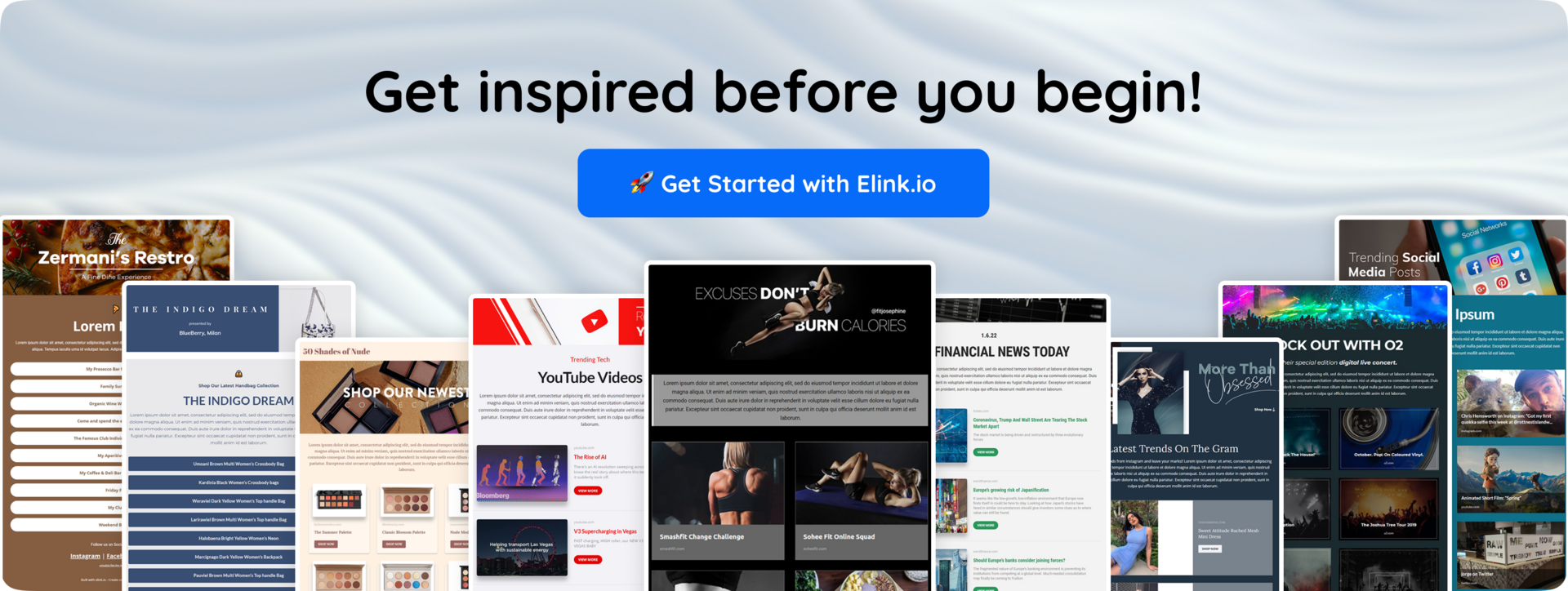
8 Best Tools for Pinterest Affiliate Marketing
To grow faster and earn consistently, you need the best tools for Pinterest affiliate marketing that help you design better pins, track performance, and stay organized without burnout.
To make things simple, we’ve built clear categories for you. This way, you know exactly which tools to use and why, instead of downloading random apps that you’ll never open again.
Let’s start with the first (and most important) category.
Design Tools for Creating Scroll-Stopping Pins
As Pinterest is a visual search engine, your success heavily depends on how your pins look. Even the best affiliate product won’t get clicks if the design feels dull or confusing. That’s why having the right design tool is essential, not optional.
1. Canva
A tool that is indispensable to a person performing Pinterest affiliate marketing is Canva. Pinterest is a visual site, so you have to design your pins immediately, and Canva allows you to do it even with zero experience in designing. It’s beginner-friendly, drag-and-drop, and packed with templates specifically made for Pinterest.
The best thing about Canva is that you do not need to employ a designer or use complex software to create something. You can easily make pins that are eye-catching, idea pins, carousel graphics, as well as animated pins that will go viral in the feed. Besides, it assists you in remaining consistent with your brand colors, fonts, and style, which is important to create recognition on Pinterest.
📌 Key Features
- Thousands of ready-made Pinterest pin templates
- Drag-and-drop editor (no designing ability needed)
- Brand kit to be able to use the same fonts and colors.
- In-built stock images, icons, and graphics.
- Animation tools for video and idea pins
- Easy resizing for multiple Pinterest formats
💸 Pricing: Free plan available & Pro plans starting at ~$14.99/month
2. Adobe Express
Adobe Express is a design tool that helps you create professional-looking Pinterest pins with minimal effort. If you want your affiliate pins to look polished and premium, Adobe Express gives you access to high-quality templates and design elements backed by Adobe’s creative ecosystem.
What makes Adobe Express stand out is its clean interface combined with powerful editing features. Backgrounds can be eliminated, you can add animations, brand kits, and create scroll-stopping Pinterest graphics within minutes. It is particularly useful when you are looking to have more control over the design than simple design programs provide, without having to acquire professional software, such as Photoshop.
📌 Key Features
- Professionally designed Pinterest templates
- Background remover tool
- Brand kits for consistent branding
- Video pin animation tools.
- Adobe stock photo and design access.
💸 Pricing: Free plan available & Premium plans starting at ~$9.99/month
Keyword Research & Trend Tools
These tools help you find out the trending keywords on Pinterest, so that you can optimize your pins for SEO. Let’s explore.
3. Pinterest Trends
Pinterest Trends refers to a free service that Pinterest offers, which allows you to establish what people are actively searching. Timing and relevance of keywords in affiliate marketing are everything, and this tool provides a first-hand view of the trending topics.
Instead of guessing what to promote, you can use Pinterest Trends to find seasonal spikes, compare keywords, and plan content around high-demand searches. It particularly comes in handy when deciding on a profitable affiliate niche and developing pins that are aligned with what the user already desires.
📌 Key Features
- Keyword search volume insights
- Trend comparison between keywords
- Seasonal trend data
- Country-specific insights
- Free and directly integrated with Pinterest
💸 Pricing: Completely Free
4. Google Trends
Google Trends is a free research tool that helps you find out what people are actively searching online. While Pinterest has its own trends tool, Google Trends gives you broader insights into search demand, which is extremely useful for planning long-term affiliate content.
You can compare keywords, analyze seasonal demand, and spot rising topics before they become competitive. For Pinterest affiliate marketing, this means you can create pins around trending products or topics early, giving you a better chance of ranking and driving traffic.
📌 Key Features
-
Compare multiple keywords at once
-
Identify seasonal search patterns
-
Discover rising search queries
-
Filter data by country and time range
-
100% free to use
💸 Pricing: Completely Free
Scheduling & Automation Tools
To stay consistent and save time while growing your affiliate traffic, scheduling and automation tools become essential.
5. Tailwind
Tailwind is one of the most trusted scheduling tools built specifically for Pinterest marketing. If you’re serious about affiliate marketing on Pinterest, posting manually every day isn’t sustainable, and that’s where Tailwind helps. It allows you to advance-schedule your Pinterest pins and post consistently without being glued to your screen.
The best feature of Tailwind enjoyed by users is the integration of automation with intelligent recommendations. It will recommend the optimal hours to post, allow you to create communities to gain more visibility, and even provide design tools to create quick pins. This simplifies it to expand traffic consistently as one emphasizes content and the affiliate approach.
📌 Key Features
-
Smart scheduling with recommended posting times
-
Bulk pin scheduling
-
Tailwind Communities to increase reach
-
Basic pin design tools included
-
Analytics to track performance
-
AI-powered caption and description suggestions
💸 Pricing: Free plan available & paid plans starting at ~$12.99/month
Link Management & Tracking Tools
These tools help you manage trackable links to help you understand exactly which pins are driving clicks and conversions.
6. Bitly
Bitly is one of the most trusted link shortening and tracking tools available. If you’re sharing affiliate links on Pinterest, Bitly helps you create clean, professional URLs that are easier to manage and monitor.
The biggest advantage of Bitly is its detailed click analytics. You can see how many people clicked your link, where they’re coming from, and how your pins are performing. This will assist you in determining the designs, keywords, or boards that are bringing the most traffic.
📌 Key Features
-
Short and customizable links
-
Click tracking and performance analytics
-
QR code generation
-
Link management dashboard
-
Easy UTM parameter support
💸 Pricing: Free plan available & paid plans starting at ~$8–$10/month
7. Linkutm
LinkUTM is a simple yet powerful tool for creating trackable URLs with UTM parameters. If you’re serious about optimizing your Pinterest affiliate campaigns, tracking where traffic comes from is non-negotiable, and LinkUTM makes this process quick and organized.
Instead of manually building messy UTM links in spreadsheets, LinkUTM allows you to generate structured, trackable URLs in seconds. You are able to label campaigns appropriately and measure the outcomes in the future within Google Analytics or any other tracking applications.
📌 Key Features
-
Easy UTM parameter builder
-
Campaign-based link organization
-
Clean and shareable trackable URLs
-
Analytics-ready links for performance tracking
-
Simple dashboard for managing campaigns
💸 Pricing: Free basic access & paid plans vary depending on usage
Content Creation & Newsletter Tools
Let’s now explore one amazing content curation tool that helps you turn Pinterest traffic into long-term engagement and repeat clicks.
8. Elink.io
Elink.io is a smart content creation and newsletter tool that helps you turn web links into beautiful visual content, such as email newsletters, web pages, resource collections, social bio links, and more. Instead of manually designing a web page/newsletter or any resource page, you can gather links (like articles, videos, affiliate products, blog posts), and Elink bundles them into professional-looking content that you can publish instantly. It’s perfect for Pinterest affiliate marketers who want to share curated collections, product roundups, or weekly newsletters without spending hours on design.
📌 Key Features
- Visual Content Creation – Add several web links and Elink transforms them into more attractive content that is represented using images, titles, descriptions, and customizable layouts.
- Email Newsletter Builder – Create responsive HTML newsletters quickly using your curated links; these work with most email providers like Gmail and Mailchimp.
- 50+ Professional Templates – Choose from dozens of layouts (single column, multi-column, grid, carousel, etc.) to make your content look polished and engaging.
- Bookmark Manager & Chrome Extension – Save and organize links from anywhere on the web with a browser extension, then use those saved links in your content.
- RSS Feed Integration – Follow RSS feeds from blogs, news sites, YouTube channels, and more to automatically pull fresh content into your web pages.
- Content Automation – Schedule and automate content creation by linking RSS feeds or bookmark folders so your newsletters or web pages update without manual work.
- Multiple Publishing Options – Share your curated content as email newsletters, standalone web pages, embedded widgets on your site, or social bio links.
But knowing the tools is only half the equation. To turn Pinterest into a consistent affiliate income stream, you need the right approach behind every pin you publish. Strategy, timing, and content positioning make all the difference.
Now, let’s look at the most effective Pinterest affiliate marketing best practices that actually drive results. 🚀
Read More: Curated Newsletter: What, Why & How to Create it?
Strategies for Pinterest Affiliate Marketing
Let’s look at the most effective Pinterest affiliate marketing best practices that actually drive results.
1. Create Multiple Pins for One Affiliate Product
One common mistake in Pinterest affiliate marketing is creating just one pin per affiliate link. The more optimized pins you publish around the same product, the higher your chances of getting discovered.
Instead of relying on a single design, create 3–5 different pins for one affiliate product. Change the headline, visuals, colors, and keywords to test what attracts more clicks.
This helps you:
- Reach different audience segments
- Improve visibility in Pinterest search
- Test which design converts best
- Drive more consistent affiliate traffic
More quality pins = more opportunities for clicks and conversions.

2. Focus on Problem-Solving Content
If you want consistent clicks in Pinterest affiliate marketing, don’t just promote products; solve problems. People come to Pinterest looking for ideas, solutions, and inspiration. Your pins should clearly show how a product helps fix a specific issue.
Instead of saying “Best Skincare Product”, try “Struggling With Acne? This Skincare Routine Actually Works.”
When you position affiliate products as solutions, your content feels helpful rather than salesy, and that builds trust.
This approach helps you:
-
Attract high-intent users
-
Increase saves and engagement
-
Build authority in your niche
-
Improve affiliate conversions naturally
On Pinterest, the clearer the problem, the stronger the click.
3. Build an Email List Alongside Pinterest
Pinterest is amazing for driving traffic, but you don’t own that traffic. Algorithm changes can affect reach at any time. That’s why building an email list alongside your Pinterest affiliate marketing strategy is so important.
Instead of sending all traffic directly to affiliate links, guide users to a lead magnet like a free checklist, guide, planner, or resource list. When people join your email list, you can nurture your leads by sharing valuable content and promoting affiliate products more strategically.
4. Use Seasonal & Trend-Based Content
Pinterest is extremely based on seasonal search and trending. The users schedule holidays, events, purchases, and goals months ahead, and this makes seasonal and trend-based content highly effective in affiliate marketing. You can advertise products randomly, but to increase your chances of success, you should pin affiliate posts according to the upcoming seasons, holidays, or trending topics. Examples of these types of content include Back-to-School Essentials, Christmas Gift Ideas, Summer Travel Must-Haves, or New Year Productivity Tools.
This strategy helps you:
-
Tap into high search demand
-
Increase saves and shares
-
Boost visibility during peak buying seasons
-
Drive higher-intent affiliate traffic
On Pinterest, timing isn’t everything, but it definitely gives you an edge.
5. Leverage Idea Pins for Visibility
Idea Pins are one of the fastest ways to increase reach and profile visibility on Pinterest. Unlike regular pins, Idea Pins are multi-page, interactive, and often receive wider distribution, especially from newer or growing accounts.
While Idea Pins don’t always allow direct clickable affiliate links, they’re powerful for building authority and trust. You can post them with tutorials, product demos, step-by-step instructions, or a list of the top 5, and then redirect viewers to your profile link or similar standard pins. As an illustration, make an Idea Pin on the topic of 5 Must-Have Tools of Content Creators and then redirect users to a related pin with your affiliate links.
So, stay patient, stay strategic, and let Pinterest work for you.
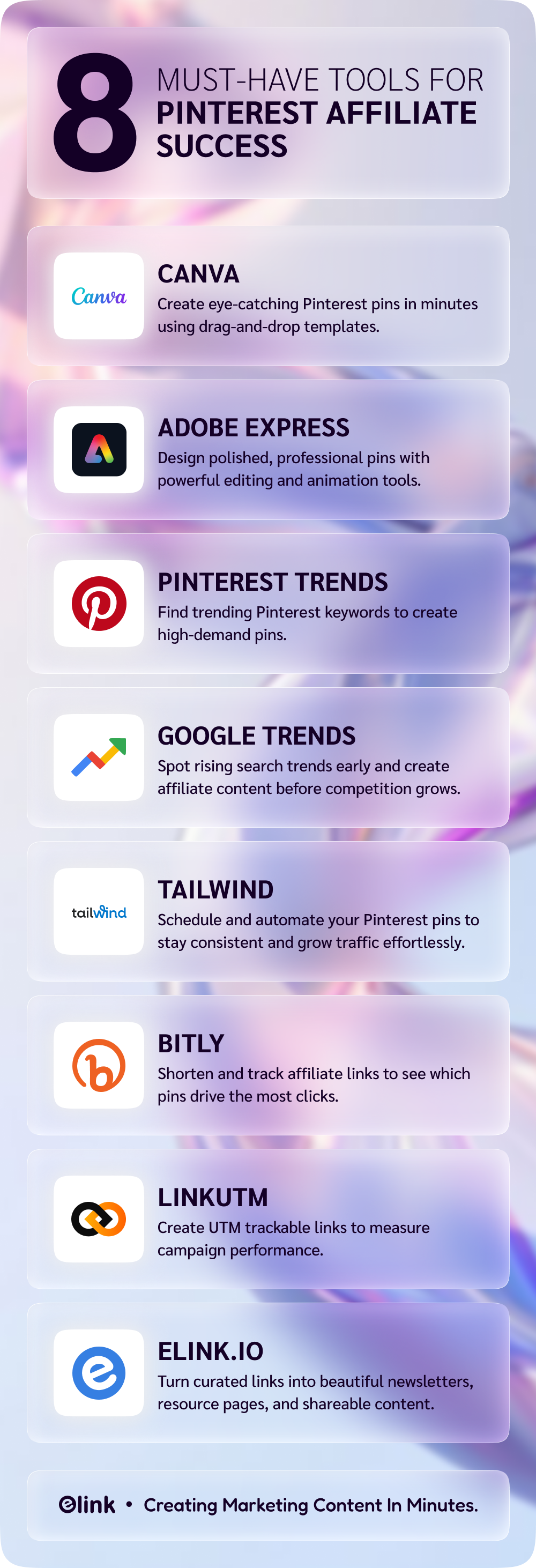
📌 Bring your favorite resources together in one place. Start curating with elink.
Wrapping It Up
When you understand how Pinterest works as a search engine, you choose products that truly make sense for your audience, and create pins that clearly solve a problem, things start to click. So, begin slowly at first. Then consistently.
You don’t need to overcomplicate it. Start with a few well-designed pins. Focus on clear keywords. Test what gets clicks. Improve as you go. That’s how most successful Pinterest affiliate marketers grow one smart step at a time.
And remember, this isn’t a one-week game. Pinterest rewards patience. The pins you create today can still bring traffic months from now. That’s the real power here.
So instead of waiting for the “perfect” moment, start with what you know. Pick one product. Create one optimized pin. Publish it. Then build from there.
FAQs
Q. How do affiliate links work on Pinterest?
Special tracking links are the affiliate links. Each time a person clicks your Pin and makes a purchase on that link, you will receive a commission. Mostly, Pinterest allows an affiliate link but always mentions it clearly that it is an affiliate link in order to maintain openness and earn trust.
Q. What are the best practices for Pinterest affiliate marketing?
Selling is not the only important thing; the content should be helpful. Include clear keywords in your Pin title and description, create attractive vertical pins, write sincere descriptions, and advertise products that actually solve a problem. In addition, be regular; Pinterest rewards regular work.
Q. How to promote affiliate marketing on Pinterest?
Make optimized Pins of certain topics that people are already searching. Connect them either to a blog post or the affiliate product (when possible). Participate in the pertinent boards, employ search engine-optimized descriptions, and experiment with Pin designs to the same URL to identify the one that works best.
Q. What tools can help with Pinterest affiliate marketing?
Canva helps you design pins easily. Pinterest Trends helps you find what people are searching for. Scheduling tools like Tailwind can save time. And if you’re driving traffic to a blog, tools like Bit.ai can help you create clean, professional content pages.
Q. How to track affiliate marketing efforts on Pinterest?
You can use Pinterest Analytics to see clicks and saves. Then check your affiliate dashboard to track conversions and commissions
Keep Reading & Learning 📚
- Marketing Strategies to Take Your Business to the Next Level
- What Is Marketing Ethics? Definition, Importance & Proven Principles
- The Top 45 Best Small Business Ideas for Beginners!
- What are the Best SaaS Marketing Strategies for Fast Growth