

Three months ago, a user named David signed up for your product.
Day one? He was excited.
Day three? He explored a few features.
Day seven? Life got busy.
Day thirty? He forgot your brand existed.
You did not lose him due to the failure of your product. You lost him because the conversation stopped on your end.
And here’s what most businesses get wrong: they wait too long to restart it. Or worse, they send one generic “We miss you!” email with a subject line like “Come back!” and hope for the best.
But retention doesn’t work that way. And that’s what this blog is about.
This blog isn’t going to talk about why retention is important. You already know that. Instead, it gives you 10+ easy retention email examples built around real user scenarios.
Let’s begin with some basics first.
What are Retention Emails?
Retention emails are behavior-based messages sent to users after they’ve signed up, purchased, or started using your product with one clear goal: keep them engaged.
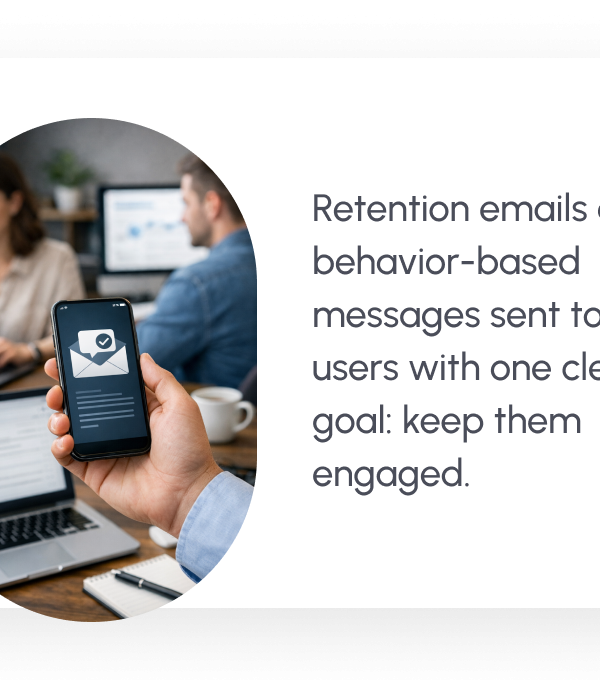
Retention emails are not sales blasts. They’re not general newsletters. And they’re definitely not random follow-ups with your customers.
Retention emails are triggered by specific moments in a user’s journey.
For example:
- When someone creates an account but doesn’t finish onboarding
- When a user hasn’t logged in for 7 or 14 days
- When a free trial is about to expire
- When a subscription renewal is approaching
- When someone cancels and might still be open to returning
Each email responds to behavior. That’s what makes it powerful.

Instead of pushing a promotion, retention emails bring the focus back to value. They remind users what they signed up for, guide them toward the next meaningful step, or remove friction that’s stopping them from using your product.
In short, retention emails protect the relationship you’ve already worked hard to build.
Now that you know what they are, let’s break down the key elements every high-performing retention email should include.
Key Elements of an Effective Retention Email
A retention email has one job: bring the user back to your brand, or we can say, just move people one step closer to re-engaging with your brand.
So, here are the elements that an effective retention email should have that can bring the users back to you.
1. Personalized Subject Line
Well, the subject line is the first thing people notice when they open their inbox to check their emails. If the subject line doesn’t feel relevant, the email won’t get opened. Even studies show that 47% of people who decide to open an email are solely based on the subject line alone.
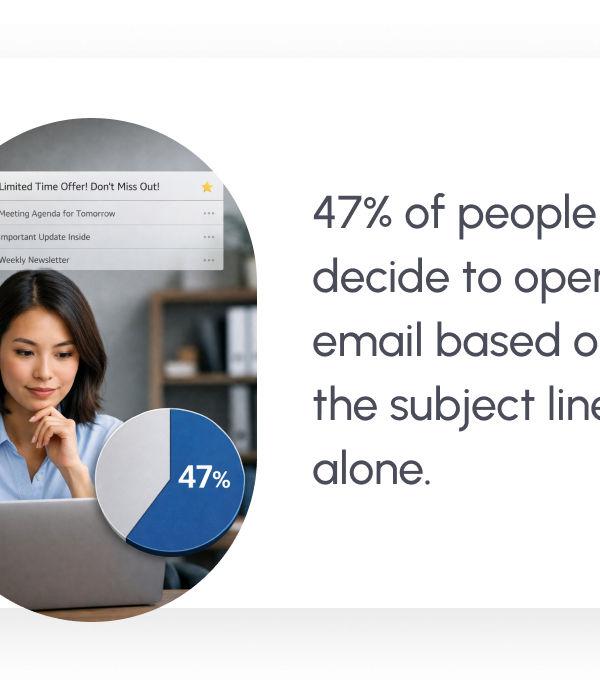
So, instead of vague subject lines like “We miss you,” use something like:
- “Still setting up your account?”
- “Your trial ends tomorrow.”
- “You left this unfinished.”
The more specific the subject feels, the more it signals that the email was sent for a reason, not blasted to thousands of users. Even minor personalization, such as addressing them by their first name or the feature that they are using, can raise open rates.
Take Inspiration: Best Email Subject Lines to Boost Your Open Rates! (Examples)
2. Clear and Friendly Messaging
Once the email is opened, clarity about the content wins. So, avoid overly long explanations of your message. Don’t over-justify why you’re emailing them. Get straight to the point, like remind them what they can gain, or suggest the next step.
But make sure that your email does not sound salesy. The tone should feel human and calm. Retention emails work best when they feel helpful rather than pushy.
👉 Remember, simple language builds trust. Overcomplicated copy creates friction in moving further with your emails.
3. Value-Driven Offer or Reminder
People return for value, not for reminders alone. Your email should answer one silent question in the user’s mind, which is “Why should I care about this email right now?”
That value that you’re going to provide through retention email could be anything like:
- A key feature they haven’t tried
- A benefit they haven’t fully experienced
- A limited-time incentive
- A helpful resource
- An improvement or update
Even a small value reminder, like “You’ve already completed 60% of your setup,” can reignite momentum.
4. Strong Call-to-Action (CTA)
The purpose of the retention emails should be one thing. Not three buttons. Not five links. Just one clear, strong call to action. For example, “Resume Your Trial”, “Log In Now,” or “See What’s New.” Make it obvious what happens after people click on that CTA.
Read More: Welcome Email: How to Craft the Perfect One (With Examples)
5. Mobile-Friendly Design
Studies show that 66% of the audience typically opens emails on their phones. If the content inside your email feels crowded, like the button is hard to tap, or the message gets cut off, you’ll lose the user instantly.
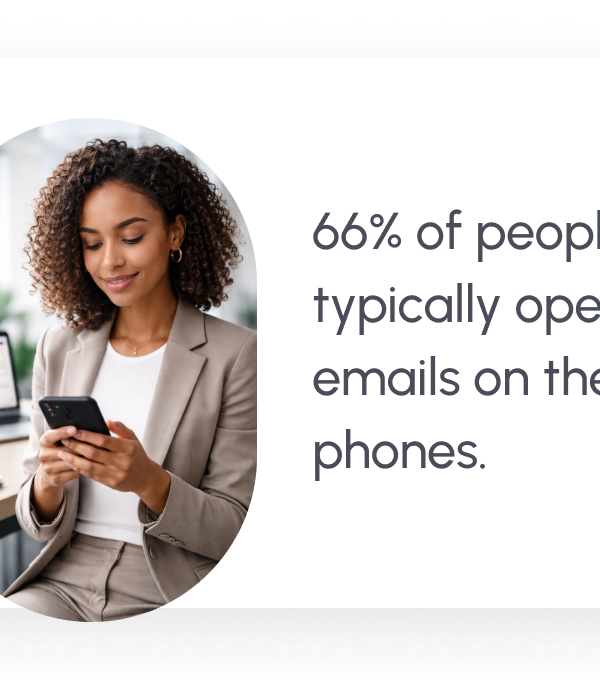
So, keep paragraphs short. Use white space. Make buttons large and easy to click. Place the CTA where it’s visible without endless scrolling.
Good design doesn’t just look nice in the inbox; it removes the effort of finding the main idea behind the message. And when you’re asking a user to come back, lowering effort makes all the difference.
Now, below are 10+ easy retention email examples, each built around a specific user situation, so you can see exactly how to apply these elements and reconnect with users in a way that feels timely, relevant, and natural.

10+ Easy Retention Email Examples to Reconnect With Users
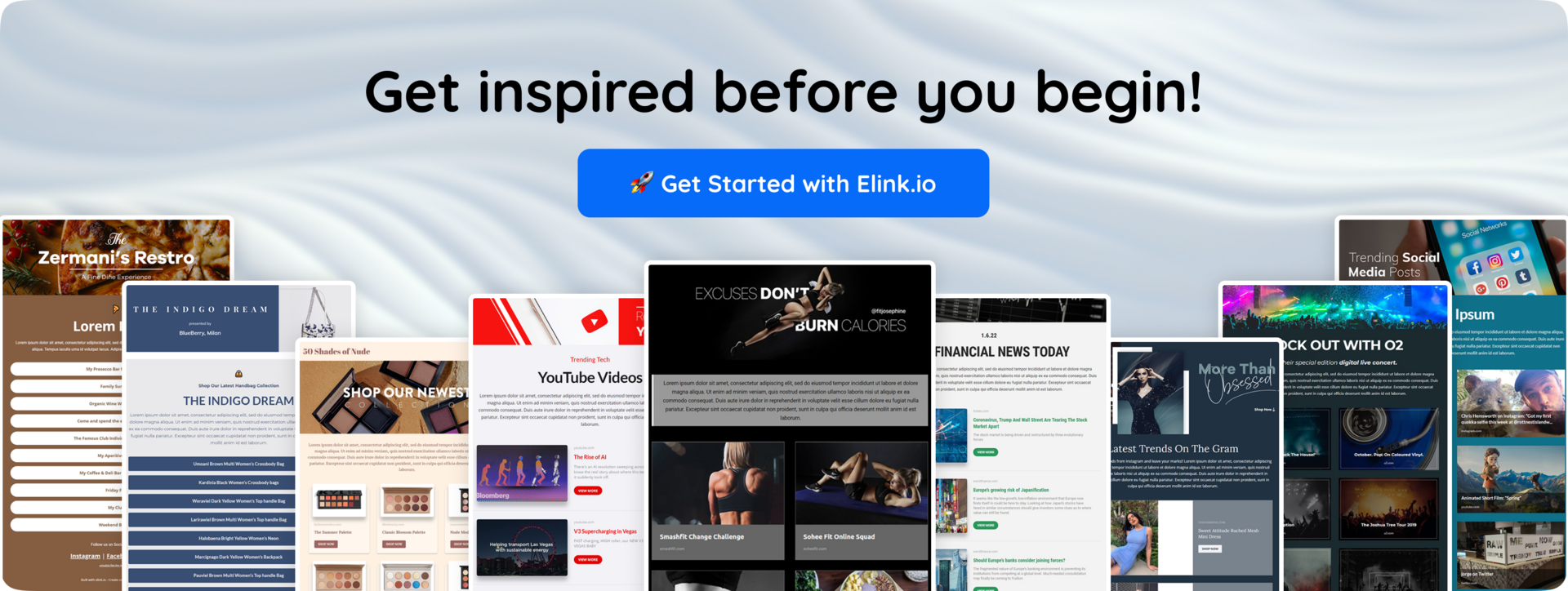
Let’s explore practical, high-converting retention email examples you can use to re-engage inactive users and improve customer retention right away.
1. The “We Miss You” Email
The “We Miss You” email is a classic re-engagement message sent to users who’ve gone inactive for a specific period, usually 7, 14, or 30 days. Its goal isn’t to sound emotional or dramatic. It is a nudge to bring the discussion back into motion and remind the users of the reason why they registered in the first place.
The key point while sharing these retention emails is relevance and simplicity. Don’t overwhelm the audience with updates or push a heavy promotion. Focus on restoring momentum and making it easy to return.
When you approach such retention emails in the right way, this email acts as a light nudge, not a sales pitch, and often brings users back simply by reminding them of the value they almost forgot.
When to send it: After noticeable inactivity, no logins, no feature usage, or no email engagement.
2. Special Discount for Returning Users
Sometimes, a gentle reminder isn’t enough. That’s where a targeted discount can help.
A “Special Discount for Returning Users” email is designed to win back inactive users by offering a limited-time incentive to re-engage, renew, or complete a purchase. It works especially well for SaaS subscriptions, eCommerce stores, and paid memberships.
When to send it:
- After prolonged inactivity (30+ days)
- After a canceled subscription
- When a trial has expired without conversion
- When a user abandoned a paid upgrade
The point that is worth noting here is that the discount must be an exclusive opportunity, not a desperate move to get the user back. So, it is better to keep the message short, emphasize the value they’ll regain, and make redemption effortless.
Design them better: Improve Newsletter Design: Proven Ways to Boost Engagement
3. Abandoned Cart Reminder Email
An abandoned cart reminder email is sent when a user fills their cart but doesn’t complete the purchase. It’s one of the highest-converting retention emails because the intent to buy is already there; they just didn’t finish.
You can also add urgency (“Items selling fast”) or a small incentive in the second follow-up if needed.
The goal isn’t to pressure the customer to purchase something. It’s to remove friction. Perhaps they had been distracted, or they had been comparing alternatives, or waiting to decide. So, all they need is a gentle reminder that simply brings them back to where they left off and makes checkout easy.
When to send it:
- Within a few hours of cart abandonment
- A follow-up within 24 hours if there’s no action
4. Subscription Renewal Reminder
A subscription renewal reminder email is sent before a user’s paid plan renews or expires. The purpose is just simple: prevent surprise charges, lessen churn, and provide time to act on the part of the user.
This isn’t just a billing notification; it’s a retention opportunity to keep users engaged with your brand.
A powerful reminder to renew not only prevents failed payments but also strengthens your value just before the decision point, which can be a very effective strategy in retention.
When to send it:
- 7–14 days before renewal
- 2–3 days before expiration
- On the final day, as a last reminder
5. Product Refill or Reorder Reminder
A product refill or reorder reminder email is sent when it’s likely that a customer is about to run out of something they previously purchased. It’s especially effective for consumable products, such as skincare, supplements, groceries, pet supplies, or household essentials.
This type of retention email works because it aligns with timing and convenience.
When to send it:
- Based on the average usage cycle (e.g., 30 or 60 days after purchase)
- A few days before the expected refill date
- If the customer hasn’t reordered within the usual timeframe
6. Customer Feedback & Survey Email
A customer feedback or survey email is sent to gather insights from users after a key interaction, such as a purchase, cancellation, or period of inactivity. It helps you understand what’s working, what’s not, and why someone may have disengaged.
This email works because it shows you value the customer’s opinion rather than just pushing another offer.
When to send it:
- After a customer cancels their subscription
- Following a completed purchase or service experience
- When a user becomes inactive for a specific period
- After a support interaction or issue resolution
7. Re-Engagement Content Email
A re-engagement content email is sent to inactive subscribers or users by sharing valuable, relevant content instead of a promotion. This could include blog posts, guides, tutorials, case studies, or new updates that remind them why your brand is useful.
This email works because it leads with value, not a sales push.
When to send it:
- After a period of low email opens or no clicks
- When a user hasn’t logged in but is still subscribed
- When you publish a major update, feature, or resource that they would find useful
- During long gaps between product interactions
Fonts matter too: The Best Font for Emails that Truly Impress
8. Loyalty or Rewards Program Email
A loyalty or rewards program email is sent to encourage repeat engagement by highlighting points, perks, cashback, or exclusive member benefits. It targets existing customers who have already purchased or interacted with your brand and gives them a reason to return.
This email works because it reinforces appreciation and makes customers feel valued for staying connected.
When to send it:
- After a customer completes a purchase
- When reward points are about to expire
- When a user is close to unlocking the next reward tier
- During slow engagement periods to motivate repeat activity
9. Milestone or Anniversary Email
A milestone or anniversary email is all about timing and emotion. It celebrates a user’s journey with your brand, whether it’s “1 year with us,” “100 orders completed,” or “You’ve been with us since day one.”
This kind of email works because people like progress. They like recognition. When you show them how far they’ve come, it reinforces commitment.
When to send it:
- On the anniversary of the signup or first purchase
- After completing a milestone (e.g., 10th order, 50th login, 1-year subscription)
- When a user reaches a new loyalty tier
So, acknowledge the milestone that the user has achieved, thank them genuinely, and optionally include a small perk or bonus. Recognition alone creates emotional retention even without a discount, and emotional retention is lasting compared to promotional pushes.
10. Feature Update or Product Improvement Email
A feature update email will be sent when there is a feature addition or if there is any kind of upgrade to your brand’s product that solves an issue that would have caused potential users to drop off earlier.
In essence, this email will provide a different perspective for a user who may have left your brand and allows them to return to your brand once they see how the product has transformed.
When to send it:
- After launching a major feature
- When improving something users previously struggled with
- If inactive users stopped using a specific feature, you’ve now enhanced
Make sure that you don’t list every update in just one email. Highlight one meaningful improvement and clearly explain how it can benefit them. The message should answer: “What’s better for me now?”
11. Limited-Time Comeback Offer
A limited-time comeback offer is a powerful way to re-engage users who haven’t interacted with your brand in a while. When you combine a clear incentive with a sense of urgency, you give people a reason to take action right now.
This type of offer email works best after you’ve already tried softer re-engagement strategies, rather than as the first touchpoint to connect back.
When to send it:
- After 30–90 days of inactivity
- After cancellation
- When previous reminders didn’t convert
The secret to making this retention email work is the urgency to take action. Set a clear deadline, offer a bonus that’s about to expire, or create a reactivation deal that feels exclusive to people’s needs. At the same time, it should feel valuable, not like you’re just throwing a discount to grabthe attention of your audience. The goal is to make your users feel they’re missing out on something meaningful, not just a sale.
If earlier retention emails were gentle nudges, this one is the final tap on the shoulder: “If you’ve been thinking about coming back, now’s the time.”
Now that you’ve seen different types of retention emails in action, it’s clear that the format may change, but the strategy behind them shouldn’t.
Before you start writing your own campaigns, it’s important to understand what separates average retention emails from the ones that actually convert.
Let’s look at the best practices for writing high-converting retention emails.
Check these: 35+ Email Marketing Best Practices You Need To Know Now
Best Practices for Writing High-Converting Retention Emails
To write effective retention emails that actually work, it is not about the quantity of messages sent but rather the quality of the message sent to the correct person at the correct time. No matter if you want to win back inactive users, encourage repeat purchases, or keep subscriptions active, your emails need to be thoughtful, relevant, and based on the behavior of real users.
The difference between an ignored email and a successful re-engagement campaign often comes down to structure, clarity, timing, and relevance.
Use this retention email checklist to make sure every campaign you send is optimized for engagement and conversions:
✅ Retention Email Best Practices Checklist
- Trigger emails based on user behavior (inactivity, abandoned cart, trial expiry, cancellation)
- Use behavioral and personalized subject lines rather than generic ones.
- Keep the message focused on one clear goal
- Lead with value, remind users what they gain by returning
- Use simple, conversational language (avoid heavy sales tone)
- Add one strong and visible call-to-action (CTA)
- Make the email mobile-friendly and easy to scan
- Create a sense of urgency, but only when it’s genuine (expiry dates, limited offers)
- A/B test subject lines and CTAs to improve open and click-through rates
- Track metrics like open rate, click rate, reactivation rate, and churn reduction
Now, once you’ve nailed these best practices, the next step is making your emails not just effective, but also visually engaging and easy to create. That’s where a tool like Elink.io comes in; it helps you quickly turn curated content into beautiful, ready-to-send newsletters that grab attention and keep your users coming back. So, let’s explore our next section to see how elink.io can be a game-changing tool for your newsletter creation journey.
Bonus Tool: Curate Engaging Email Newsletter with Elink.io
Elink.io is the smartest content curation platform that helps marketers, creators, and businesses build visually compelling email newsletters, webpages, social bio pages, resource hubs, and many more without needing design or coding skills. Rather than manually laying out each piece of content in your newsletter, you simply collect links (that too with the help of Elink’s bookmark extension), and Elink turns them into ready‑to‑share, responsive email content in minutes.
Here’s what makes Elink.io a powerful tool to include in your retention email strategy:
🔗 Easy Content Curation
Elink.io lets you gather links from anywhere, articles, videos, blog posts, social updates, RSS feeds, and more, and saves them as visual cards with images, titles, and descriptions. You can then bundle these links into curated content collections for your newsletters, web pages, social media bio, and resource pages.
📧 Beautiful Email Newsletters in Minutes
With Elink, you can create responsive HTML email newsletters that are responsive to every device. Choose from 50+ professional templates and layouts so your retention emails look polished on any device.
⚙️ Seamless Integration with Email Tools
Once your newsletter is ready, Elink.io lets you send it through major email platforms like Gmail, Mailchimp, and other third‑party providers by exporting the HTML, making it easy to reuse your curated content across tools you already use.
⏱️ Saves Time with Automation
You can use RSS feeds and automation features to generate newsletter content automatically, perfect for sending regular updates to reconnect with users without having to start from scratch every time.
👥 Collaboration & Scaling
Teams can work together inside Elink, saving and organizing links, building curated newsletters collaboratively, ideal for content teams managing frequent retention campaigns.
So, rather than crafting every email from scratch, Elink.io empowers you to curate content, highlight valuable resources, and deliver consistent, visually appealing messages. This helps keep users engaged, informed, and more likely to interact with your brand.
Final Thoughts
The most effective retention emails are the ones that sound like a small note, reminding people that, “Hey, we’re thinking of you.” They are not a bunch of messages in an inbox, but little pieces of communication to connect, show value, and make your users feel noticed.
With a little thought and care, these retention emails can turn casual users into loyal fans and make your brand truly memorable.
📌 Turn your curated content into a beautiful newsletter with Elink. Start creating today.
FAQs
Q. Why are retention emails important for businesses?
The retention emails assist in returning old users rather than always seeking new users. It generally costs more to gain new customers than to keep existing ones engaged. Retention email helps the company cut churn, doubles customer lifetime value, and build long term relationships with your audience.
Q. How are retention emails different from promotional emails?
Promotional emails are oriented towards selling discounts, offers, launches, and campaigns. Retention emails focus on engagement. Their goal is to remind users of value, encourage product usage, prevent churn, or re-activate inactive users. So, a promotion triggers a deal, while a retention email restarts or strengthens a relationship.
Q. How often should retention emails be sent?
There’s no fixed number. The retention emails must be based on the user behavior, rather than a calendar. For example, you could, say, send to a customer who does not engage within the first 7 days, or to a customer who has not been onboarded yet and may be leaving a trial.
Q. Can re-engagement emails work for inactive users?
Yes, especially when re-engagement emails are specific and relevant to the needs of the user. By sending an email reminding the user about the missing aspects, new functionality, customer care, or a minor incentive, one can effectively reintroduce dormant users to your product.
Keep Reading & Learning 📚
- 7 Email Marketing Metrics to Monitor
- 7 Referral Email Ideas to Boost Your Brand Growth
- What are the Best SaaS Marketing Strategies for Fast Growth
- Email Personalization Best Practices Every Marketer Should Follow
- Email Click-Through Rate: 15 Proven Tips to Improve It


