If your email strategy still relies on scheduled campaigns sent to your entire email list, you’re likely missing out on high-intent opportunities.
Today’s users interact with brands in real time like browsing products, abandoning carts, signing up, or engaging with content. And the most effective marketers aren’t waiting to react later; they respond instantly to user actions as they happen.
Yes, we’re talking about trigger emails.
Trigger emails are those automated emails that are sent based on a specific action, behavior, or lifecycle stage of the user. Instead of generic email blasts sent through different occasions, triggered emails reach the inboxes at the exact moment a user is most likely to engage.
That’s why, in this blog, we’ll break down what trigger emails are, explore their most effective types, and look at real examples you can apply to your own strategy. So, what exactly are trigger emails? Let’s find out!
What Are Trigger Emails?
Trigger emails are automated emails sent to users based on a specific action, behavior, or event.
Unlike scheduled campaigns like newsletters, these emails are activated or “triggered” when a user does something on your website. This could be signing up, abandoning a cart, making a purchase, or even being inactive for a while.
The real strength of trigger emails lies in reaching users at the exact moment their interest is highest. Which is why they often perform better than regular marketing emails.
So, in simple terms, trigger emails are:
- Action-based (sent after a user does something)
- Automated (no manual sending required)
- Personalized (based on user behavior or data)
That’s why trigger emails are a key part of modern email marketing. They help marketers send the right message at the right time without extra effort.
Now, we’re going to break down how these triggered emails actually work behind the scenes.
How Trigger Emails Work (Simple Explanation)
Trigger emails follow a basic logic:
Action → Condition → Automated Email
For example:
- A user signs up → They instantly receive a welcome email
- A user leaves items in their cart → They get a reminder to complete the purchase
- A user buys a product → They receive an order confirmation (and sometimes a thank-you email)
You know the best part is you don’t have to send these emails manually. Behind the scenes, this is all managed through an email marketing tool. These tools track user behavior, let you set specific triggers and conditions, and automatically send emails when those conditions are met.
Once your workflows are set up, everything runs on autopilot, delivering timely, relevant emails exactly when they’re needed, without any extra effort from your side.
Now that you understand what trigger emails are, let’s look at the most effective types of trigger emails that brands use to engage users and drive conversions.
Most Effective Types of Trigger Emails (With Examples)
Not all trigger emails are the same; each one is designed for a specific moment in the customer journey. Below are the most effective types, along with simple examples and ready-to-use email ideas you can turn into templates or visuals.
1. Welcome Emails
The moment someone signs up on your brand page is your first real opportunity to make an impression and it matters more than you think.
A welcome email is triggered as soon as a user joins your platform, subscribes to your newsletter, or creates an account. It helps new users understand what to expect from your brand.
For example: A user signs up → they instantly receive a welcome email
A good welcome email will help the user see that they have made a wise decision in signing up and will help them understand how to use your product.
To give you a better idea, here’s an example of how a welcome email can look:
2. Abandoned Cart Emails
Abandoned cart emails are the type of trigger emails that are shared when a customer visits your brand page, adds some products to their cart, but unfortunately, then leaves the site without making a purchase. This is one of the most high-intent moments in the customer journey because the user was this close to buying.
But perfect timing and content matter a lot for abandoned cart emails.
Here are the send timings for abandoned cart emails:
- First email within 1–2 hours (while interest is still fresh)
- Second follow-up after 24 hours
- Optional third email after 48–72 hours with an incentive
Now, here’s what an abandoned cart email example looks like in action:

3. Purchase Confirmation Emails
Purchase confirmation emails are sent immediately after a customer completes a transaction. They are one of the most expected and reassuring trigger emails because this email confirms that the order has been successfully placed.
The purchase confirmation email provides the customer with additional information regarding the order, including what was ordered, how much was paid for the order and what will happen next. This email also helps to alleviate any anxiety the customer may have after completing their checkout.
Typically, a strong purchase confirmation email will include all necessary order details, payment summary, delivery details, expected shipping timeframes, and possibly tracking links or contact support information. So that, the customers feel informed and supported.
Here’s a sample example of a purchase confirmation email:
4. Re-engagement Emails
Re-engagement emails are sent to users who have stopped interacting with your brand for a while, like someone who hasn’t opened your emails, visited your website, or made a purchase in weeks or months.
Your main goal is to regain the interest of inactive users. In these emails, you may remind users of what they have missed, inform them of any new product releases, or simply ask whether they would like to continue receiving emails from you. You can also offer incentives (e.g., discounts, coupons or personal recommendations) to restart engagement with your brand.
Here’s a real example of a re-engagement email:
Read more: Announcement Emails: Steps to Create Them Easily
5. Browse Abandonment Emails
Browse abandonment emails are sent when a user visits your website and looks at products but leaves without adding any of those products to their shopping cart or completing a purchase. In simple terms, the user is browsing with interest, but hasn’t taken the next step.
This type of email works at an earlier stage in the customer buying process than a cart abandonment email does. Cart abandonment emails are helpful in remindgin customers of items they have added to their shopping carts; browse abandonment emails remind customers of items they have considered (but not yet added) to their shopping carts.
Here’s what a typical browse abandonment email looks like in action:
- Birthday or Anniversary Emails
Birthday or anniversary emails are triggered on a user’s special date like their birthday, the anniversary of joining your platform, or the first purchase date. These emails are less about selling and more about building a personal connection with the user.
These emails have both emotional and well-timed aspects that make them effective. They show the recipient that the brand is aware of a significant occasion, rather than just sending them a generic marketing message. There will usually be a small incentive included, whether it be a coupon, gift, or other form of incentive.
By sending these types of emails, brands are able to build loyalty while encouraging the user to return to their platform, especially if the user has not recently engaged with the platform.
Here’s what a typical birthday or anniversary email looks like in action:
Read more: Retention Emails: 10+ Examples + Writing Guide to Reconnect
- Feedback or Review Request Emails
Feedback or review request emails are sent after a user has completed an action, usually after a purchase, service experience, or delivery. The goal is to collect honest feedback about the experience or encourage users to leave a product review.
These emails are triggered once the customer has had enough time to actually use the product or service. That’s why timing matters. If sent too early, the user won’t have an opinion yet; if sent too late, the experience may no longer feel fresh.
Feedback request emails are important because they help brands understand customer satisfaction, improve their products, and also build trust for future buyers through real reviews.
Here’s what a typical feedback or review request email looks like in action:
Read more: 7 Types of Emails You Must Send to Your Customers!
🎁Bonus: Create Beautiful Email Newsletters with elink.io
If you want to quickly turn links and content into visually appealing email newsletters, elink.io makes the process simple and fast.
elink.io is a content curation and publishing tool that helps you create newsletters, web pages, and curated content by simply adding links. It is widely used by marketers and creators to save time and create professional-looking content in minutes.
Instead of designing emails from scratch, elink lets you collect web links, blog posts, videos, or resources and automatically converts them into clean, structured newsletter layouts. You can then customize the design and share it as an email, embed it on a website, or export it to your email marketing tool.
Here are some cool features provided by elink.io to save your time and create amazing content in just a few minutes:
- Turn links into newsletters – Simply add URLs and convert them into structured email content
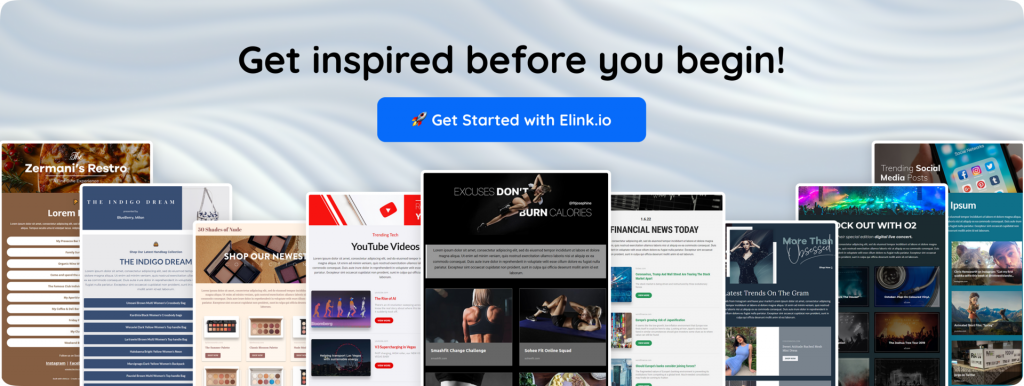
- 50+ responsive templates – Select from a wide range of modern email designs, all of which will appear great on any device.
- Easy customization – Edit titles, images, and descriptions to match your brand tone
- Multi-purpose publishing – Use the same content for creating email newsletters, webpages or embedding them into your website.
- Collaborate with your team – Work with your team to curate, edit, and publish content faster without starting from scratch every time.
So, elink.io is especially useful for marketers who want to create fast, consistent, and visually rich newsletters without spending hours on design.
Conclusion: Start Using Trigger Emails for Smarter Marketing
Trigger emails are one of the simplest yet effective methods of increasing the relevancy and results of your email marketing. With the trigger emails approach, instead of sending the same email out to every contact, you respond to actual user activity at the exact moment when they matter most.
You can use trigger emails to welcome new users, recover lost sales through abandoned carts or continue to establish a way to stay in touch while not being intrusive. The benefit of trigger emails is that, once you have set them up, they continue to run in the background automatically and improve engagement and conversion rates over time.
So, if you want smarter marketing with better timing and personalization, trigger emails are a great place to start.
FAQs
How do trigger emails work?
Trigger emails are automated messages sent after a person takes a specific action (e.g., signing up for an account, abandoning a shopping cart, completing a purchase). They’re created following a simple formula: Action → Condition → Email. By using this process, marketers can ensure the right message is sent at the right time to the user, without any manual effort.
Why are trigger emails important in marketing?
Because trigger emails are sent when a person has already expressed interest in the items they were looking for. So, timings and relevancy lead to better engagement, higher open rates, and more conversions.
What are the most common types of trigger emails?
Some of the most widely used trigger emails include welcome emails, abandoned cart emails, order confirmation emails, password reset emails, and re-engagement emails. Each one is designed for a specific stage in the customer journey.
How are trigger emails different from regular email campaigns?
Traditional email campaigns are sent to multiple users at once on a set schedule. Trigger emails are sent one-on-one based on the user’s actions and behaviour, making trigger emails more personal, timely and based on the unique behaviours of individuals.
Keep reading & learning 🚀
- 7 Referral Email Ideas to Boost Your Brand Growth
- Email Retargeting 101: How to Win Back Lost Customers
- Product Launch Email: How to Write Emails That Drive Sales
- Email Personalization: Best Practices to Boost Opens & Conversions