In order to ensure that your emails get read, deliverability is key. Even if you take the time and effort to create a fantastic email, if it goes into the spam folder, it isn’t very useful to you. The inbox is now becoming increasingly strict about the types of emails it will allow. Email providers pay close attention to how people react to your emails. If readers ignore, delete, or report them, future emails may never reach the inbox.
The good news is this can be fixed. Small changes make a big difference. Things like how you build your list, how often you send emails, and how your messages are written all play a role. This guide breaks down clear, proven strategies that help your emails land where they should.
Before getting into the strategies, it helps to be clear on one basic thing.
What is Email Deliverability? (Definition)
Email deliverability means whether your email reaches the inbox or not.
It’s different from just sending an email. An email can be sent and still end up in spam, promotions, or get blocked. When that happens, deliverability is poor.
Good email deliverability means your emails land in the main inbox, where people are most likely to see and open them. It depends on how much email providers trust you as a sender. That trust is based on things like how people interact with your emails, how clean your email list is, and whether your setup follows basic email rules.
In short, email deliverability decides if your emails get seen or ignored. Even strong content won’t work if it never reaches the inbox.
Now that the meaning is clear, the next step is fixing it.
Email deliverability isn’t about one single trick. It’s a mix of habits, setup, and consistency. Some changes take a few minutes. Others take a bit more time. All of them add up.
The good part is you don’t need advanced tools or great technical skills to improve results. You just need to follow the right steps in the right order.
Here are 10 proven strategies to improve the deliverability of emails and help your emails reach the inbox more often.
Know this first: 8 Reasons Why Your Email Goes To Spam!
Best 10 Strategies to Improve Email Deliverability
Follow these best strategies to improve the deliverability of your emails. So, let’s get started.

1. Choose Quality Subscribers Over Big Numbers
Email deliverability starts with who you send emails to. Not how often you send. Not how clever the message is. If the list isn’t right, nothing else works.
A high-quality email list includes people who have indicated they want to receive emails from you by either signing up on your website (via form or request). Because of their expectation that you will send emails, they are more likely to actually open and read the email when it arrives. This opens up the ability for email clients (inbox providers) to establish confidence in your ability as a sender, based on recipient behaviour.
To build this kind of list, permission matters. Be clear at signup about what people will receive. Let them know how often you’ll email and what kind of content to expect. When there are no surprises, people stay engaged instead of clicking “spam.”
One simple way to protect list quality is by using double opt-in. The process begins when someone subscribes to an email list. The subscriber receives an email with a confirmation link that they must click on to be added to the list.
It is believed that the additional step creates a filter for inaccurate, fake, or untrustworthy email addresses. The fewer bad email addresses there are on the list, the lower the bounce rates, thereby enhancing the sender’s reputation.
It’s also important to avoid shortcuts. Buying or renting email lists may look tempting, but those contacts don’t know you. They didn’t ask for your emails. That usually leads to low opens and more complaints, which can hurt deliverability fast.
A simple way to think about it: sending emails to fewer people who care works better than sending to many who don’t. Opens go up. Complaints go down. Inbox placement improves.
When your email list is built on trust and kept healthy, deliverability improves naturally. Everything else becomes easier after that.
Read More: 7 Tips & Tricks For Sending Outreach Emails That Get Replies!
2. Set Up SPF, DKIM, and DMARC for Strong Email Authentication
After list quality, the next thing inbox providers check is trust. They want proof that your emails are really coming from you and not from someone pretending to be you. That’s where email authentication comes in.
SPF, DKIM, and DMARC are basic security checks for email. They don’t change how your email looks. They work behind the scenes. Their job is to confirm your identity as a sender.
SPF tells email servers which systems are allowed to send emails for your domain. If an email comes from an unknown server, it raises a red flag. Without SPF, even good emails can look suspicious.
DKIM attaches a unique verification signature to your outgoing emails. When the email reaches the inbox provider, that signature is checked. If the message was changed along the way, the signature fails. This helps prove that the email is real and hasn’t been tampered with.
DMARC ties everything together. It tells inbox providers what to do when SPF or DKIM checks fail. It also gives you reports that show who is sending emails using your domain. This helps stop email spoofing and protects your reputation.
Many deliverability problems happen simply because these records are missing or set up incorrectly. Once they are in place, inbox providers are more likely to trust your emails.
Think of authentication like showing ID at the door. If you don’t show it, you may still get in sometimes. But with it, entry is smoother and more consistent.
So, setting up SPF, DKIM, and DMARC is not optional anymore. It’s one of the strongest ways to protect your sender reputation and improve inbox placement.
3. Warm Up Your IP Address and Domain
Once an Inbox Provider receives a new IP address or domain to send emails from, there’s no way for the Inbox Provider to know if you are trustworthy; you will have no history of sending emails from that address, so they will be paying close attention as they review your claims. If you send a large number of emails right away, it can look risky and trigger spam filters.
Therefore, it is very important to “warm up” your email. A warm-up means you will start sending a smaller volume and slowly increase that volume over time. Begin by emailing people who already engage with you. These are subscribers who open, click, or reply. Their activity helps build a positive sending history.
Because sending 50 emails one day and 5,000 the next looks kind of suspicious. A steady increase feels natural and safer to inbox filters.
This situation also applies to domains. New domain names must also build trust, even if they are on a Shared IP address. Consistent sending, clean lists, and real engagement do that over time.
Warm-up isn’t optional. It’s how you prove you’re a real sender, not a spammer. Do it right, and your future emails have a much better chance of landing in the inbox.
4. Optimize Email Content for Modern Spam Filters
After your setup is in place, your content starts doing the real work. Inbox filters don’t just look at your domain or IP. They pay attention to how your emails behave once they’re sent.
Spam filters are now better able to identify messages that were sent with malicious intent based on their recognition of patterns from previous experience.
Spam filters will filter into the spam folders of emails that use persuasive language, have a lot of objects or images in their email body, and/or have a high degree of urgency associated with their subject line.
So, initially, evaluate the subject line for exaggeration, urgency without cause, or vagueness of intention. A short and concise subject line stating clearly what the message is will generally perform better. Email open rate will increase if users expect to open the email due to a straightforward subject line rather than from a sense of urgency or an overly polished subject line.
When composing an email, a clear message without confusion is better than a clever message. Additionally, many hyperlinks may appear as spam. Too many images can slow things down. A short message that gets to the point is easier to read and easier to trust.
The way your email is put together matters too. Clean spacing, normal fonts, and short paragraphs make a difference.
If there’s one rule here, it’s this: write emails for people first. When readers stay engaged, inbox systems usually follow their lead.

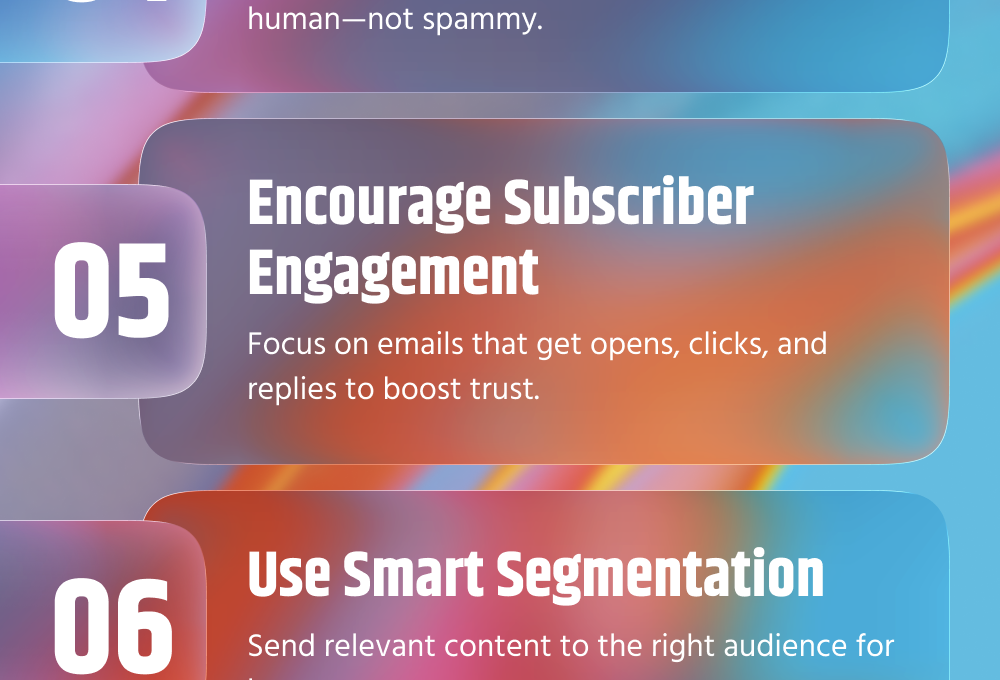
5. Encourage Positive Subscriber Engagement
Inbox systems don’t just look at your email and move on. They keep score. Quietly.
When people open an email and stick around for a second, that helps. When they click or reply, that helps even more. When they delete it right away or flag it as junk, that works against you. One action won’t break anything, but patterns show up fast.
The main reasons for most of the fallen engagement are because of the emails sent, they get sent too frequently, are perceived as too long, or don’t align with the expectations of what their subscribers wanted when they opted in. When that happens, inbox placement slips, even if the content itself isn’t bad.
Typically, sending more information leads to poorer results than a lesser amount of information with a clear purpose. The ideal is to send one idea, one justification for opening, and one action to follow up with. People generally ignore anything that falls outside this scope.
Tone matters more than most people admit. Emails that sound automated get treated like automation. Emails that sound human get human behavior back.
Engagement isn’t about chasing clicks. It’s about earning attention. When that happens, inbox placement usually takes care of itself.
Check Now: How to Build an Email List for Engaging Subscribers?
6. Use Smart Email Segmentation for Better Deliverability
Sending one identical email to your entire list may feel convenient, but it often damages email deliverability.
Email providers care a lot about how people interact with your emails. If subscribers don’t open, click, or reply, your emails slowly start landing in spam. That’s where smart segmentation makes a big difference.
Email segmentation simply means dividing your email list into smaller groups based on real behavior. For example, you can group people by what they’ve purchased, how often they open your emails, or where they signed up from. When subscribers receive emails that actually matter to them, they’re more likely to engage.
Higher engagement sends a positive signal to inbox providers like Gmail and Outlook. It tells them your emails are wanted, not ignored. As a result, more of your emails reach the inbox instead of the spam folder.
You don’t need complex tools to get started. Even basic segments like active vs inactive users, new subscribers, or past buyers can improve performance. Over time, you can refine these segments based on clicks, interests, or location.
Another benefit of segmentation is fewer spam complaints. When content feels relevant, people are less likely to mark your emails as spam, which protects your sender reputation.
In short, smart segmentation helps you send the right message to the right people at the right time. And when subscribers engage more, your deliverability naturally improves.
7. Clean Your Email List Regularly
While having a large number of subscribers to your email list is amazing, a disorganized and poorly managed email list can quietly ruin your ability to deliver emails effectively.
Over time, every email list collects inactive subscribers. Some people stop opening emails, some change jobs, and some addresses simply stop working. When you keep sending emails to these inactive or invalid addresses, email providers start seeing it as a red flag.
Regularly cleaning your email list helps you avoid this problem. It improves open rates, reduces bounce rates, and shows inbox providers that you’re sending emails to people who actually want them.
It might feel uncomfortable to delete subscribers, but fewer engaged readers are far more valuable than thousands who never open your emails. A smaller, active list almost always performs better than a large, silent one.
Cleaning your list isn’t a one-time task. Make it a regular habit, maybe once every few months. It keeps your list healthy, your engagement strong, and your emails landing where they belong in the inbox.
Check our guide: How To Keep Your Email Lists Squeaky Clean?
8. Monitor and Improve Your Sender Reputation
Where your emails land largely depends on how email providers rate you as a sender. Even if your content is good, a poor reputation can still push your emails into spam.
Sender reputation is basically how email providers see you as a sender. They look at things like how many people open your emails, how many delete them without reading, how often emails bounce, and whether anyone marks your messages as spam. All of these actions slowly build or damage your reputation over time.
The good news is that you don’t need advanced tools to keep an eye on it. Start by tracking basic email metrics such as open rates, click rates, bounce rates, and spam complaints. If you notice sudden drops in opens or a rise in bounces, it’s usually a sign that something needs attention.
One of the easiest ways to protect your reputation is to send emails consistently. Avoid sending large volumes suddenly after being inactive for weeks. Sudden spikes in sending can look suspicious to inbox providers and hurt your reputation.
Another important point is to only email people who have actually signed up. Sending emails to uninterested or unverified contacts increases the chances of spam complaints, which can quickly damage your credibility as a sender.
Also, pay attention to replies and engagement. Engagement and replies are crucial to establishing trust with subscribers. When subscribers interact with your emails, they are showing you trust. Encourage simple interactions such as clicking on your links, replying to your questions or putting your email in their contacts. Improving the sender’s reputation will take time; however, the process is not overly complicated. Focus on sending to clean lists, sending relevant messages, and building a steady sending schedule. When inbox providers see consistent, positive engagement, your reputation improves, and so does your deliverability.
Know the secrets: How to Improve Email Click-Through Rate: 15 Best Tips
9. Optimize Send Frequency and Timing
How often and when you send emails matters more than many people think.
Sending emails too often can irritate your subscribers and push them to unsubscribe or mark your messages as spam. On the other hand, sending too few can make people forget who you are. The goal is to strike the right balance, staying visible and engaging without becoming overwhelming.
Pay attention to how your subscribers respond. If open rates drop after frequent sends, it may be time to slow down. If engagement improves when you send less often, that’s a clear sign.
Timing matters too. Test different days and times to see when your audience is most likely to open and read your emails. What works for one business may not work for another, so rely on your own data instead of guessing.
Consistent, well-timed emails help build trust with inbox providers and keep your messages landing in the inbox.
10. Follow Email Compliance Laws to Maintain Deliverability
Email compliance rules exist to protect people from unwanted emails. When you ignore them, deliverability usually suffers first.
Always send emails only to people who have chosen to hear from you. Adding contacts without permission or using scraped or purchased lists often leads to spam complaints. Even a small number of complaints can push your emails into spam.
Every email should clearly show who it’s from. Use a real sender name, a valid email address, and subject lines that match the content inside the email. Misleading details may get short-term attention but damage trust quickly.
Always include a visible unsubscribe option. If people can’t find it easily, they’ll mark the email as spam instead. That hurts your sender reputation more than an unsubscribe ever will.
Your emails should also include basic business information, such as your company name and contact details. This helps inbox providers recognize you as a legitimate sender.
Email compliance isn’t about legal language or complicated rules. It’s about respecting the reader’s choice. When people trust you, inbox providers do too, and your emails stay out of spam.
Bonus: Use elink.io to Create High-Converting Newsletters
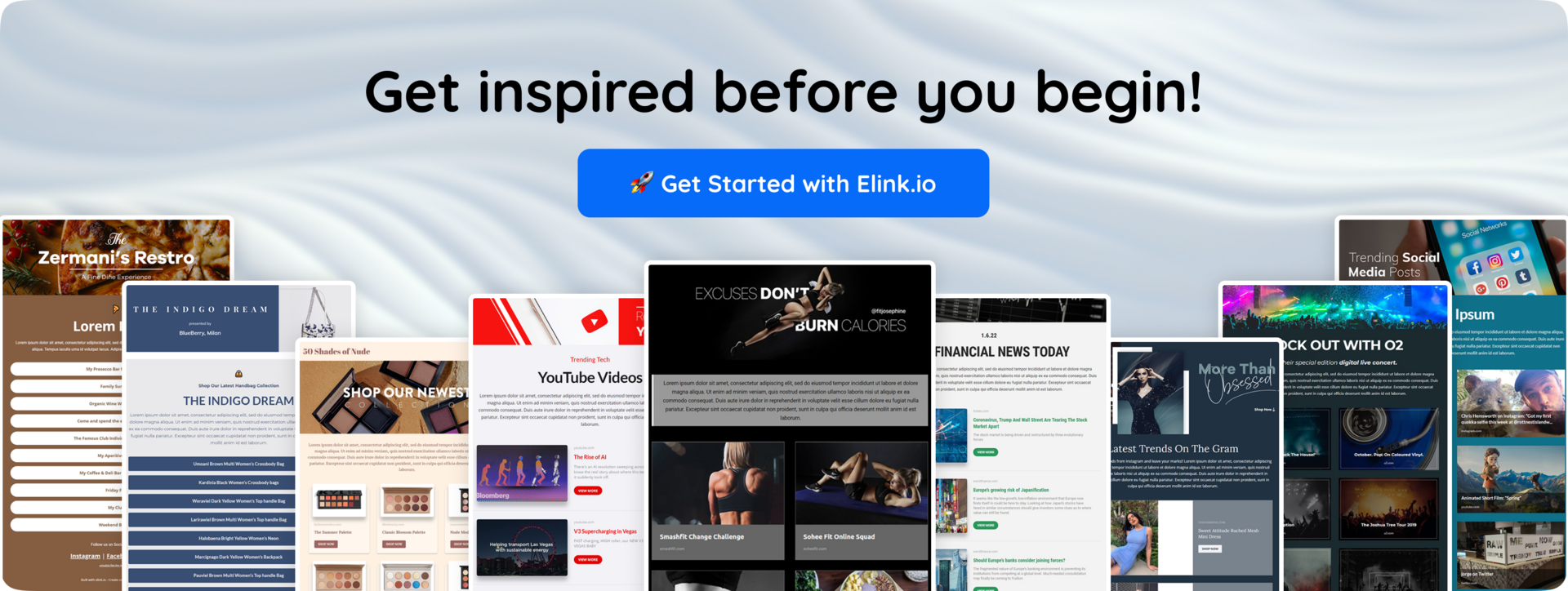
Elink.io is the smartest content curation tool that helps you turn links, articles, blogs, or updates into clean, professional-looking newsletters and web pages, without designing everything from scratch.
Instead of copying links one by one into an email and worrying about layout, elink.io lets you collect content and automatically format it into something that looks organized and easy to read. This is especially useful if your newsletters share multiple resources, updates, or curated content.
Here are the main features that make elink.io useful for high-converting newsletters:
✔️ Easy content curation: You can add links from blogs, news sites, or your own content, and elink.io automatically pulls in titles, images, and descriptions. This saves time and keeps your newsletter structured instead of cluttered.
✔️ Clean, ready-made layouts: The elink.io platform offers a number of professional templates that are pre-formatted for use as email campaigns, social media bio links, and web pages. Most of these templates are designed with the reader in mind, allowing them to be as easy to read and scroll through as possible.
✔️ Customization without complexity: You can adjust fonts, colors, branding, and sections without needing design skills. The benefit is that it will be easy to maintain consistency with your brand while still keeping things simple.
✔️ Automate content with RSS feeds: elink.io allows you to automate your webpages using RSS feeds. You can connect blogs, news websites, or your own content feed, and elink.io will automatically pull in fresh updates for you.
✔️ Easy sharing & embedding: With elink.io, sharing your newsletters is effortless. As soon as your content is ready, you can share it seamlessly via email, social media, or as a single link. You can also embed your curated content directly into websites, blogs, or landing pages without any technical work.
Using a tool like elink.io helps you focus on content instead of formatting. When emails look clean and are easy to read, people are more likely to engage, and better engagement always supports better deliverability.
Conclusion: Turning Email Deliverability into a Growth Advantage
Well, if your emails don’t reach the inbox, the rest of the content doesn’t matter.
Email deliverability plays an important role in email marketing. The more people receive your emails, the more your engagement levels increase.
The majority of issues stem from habits rather than tools. Examples of bad habits include: sending emails to people who do not respond (inactive users), sending too many emails (over-emailing), not caring about someone’s engagement with their email(s), etc. If these basic ways of losing trust can be fixed by improving your email practices, then you will receive amazing results.
Treat deliverability as something you build over time. When inbox providers trust you, email turns from a risk into a reliable growth channel.
FAQs
1. What affects email deliverability the most?
The highest impact on whether an email will be delivered to the recipient’s inbox is from both the reputation of the sender and how engaged the user is with the email’s content. The more engaged users are in terms of both open and click rates, and the fewer instances of users reporting emails as spam, results in higher the delivery rates.
2. Does email authentication really improve deliverability?
Yes. Authentication helps inbox providers trust your emails and prevents spoofing, which supports better inbox placement.
3. What is a good email deliverability rate?
Anything above 95% is considered good. Lower than that usually means list or reputation issues.
4. Which strategy will improve email deliverability?
Sending relevant emails to engaged subscribers and keeping your email list clean.
Keep Reading & Learning 📚
Newsletter Design Tips: How to Create Visually Stunning Campaigns
35+ Email Marketing Best Practices You Need To Know Now
Improve Newsletter Design: Proven Ways to Boost Engagement
Email Blasts: What are they & How to Use Them to Get More Leads!
How to Build a Monthly Email Marketing Calendar that Works