Starting a blog or building a website from scratch can feel overwhelming, especially when you’re expected to keep publishing fresh content daily on your blog or website. For many bloggers, keeping their site updated is often harder than launching it in the first place.
On top of that, the internet moves fast. Trends change, information updates daily, and falling behind can mean losing reader interest. Whether you’re a solo blogger or part of a team managing a Blogger website, you need a smart and reliable way to keep your content fresh without spending hours on it.
That’s why adding a newsfeed to your Blogger site is a quick and easy way to stay on point, update content, and engage your audience! But what exactly is a news feed?
And, more importantly, how does creating a news feed equip you with constant engagement from your audience?
Well, we are going to answer all of these questions and then talk about how you can create a one for your Blogger website hassle-free, within a few minutes! Let’s get started with the basics.
What is a Newsfeed?
A newsfeed is a curated stream of newly published content displayed right on your website or blog. It gathers relevant articles, resources, and even videos from your niche and presents them as clean, visual snippets in one place.
Instead of going to multiple websites or webpages to explore new content, the user can check out visual snippets of articles, resources, and video links and choose which links to explore from a newsfeed.
Now that you know what a newsfeed is, let’s look at why adding one to your Blogger site can make a big difference for both you and your readers.
Why You Should Add a Newsfeed to Your Blogger Site
A newsfeed is a powerful way to stay connected with your audience and keep them engaged through a steady flow of fresh, relevant content. Instead of relying only on your own posts, a newsfeed lets you continuously update your blog with curated information from around the web.
It gives your readers a single place to discover news, articles, and resources related to your niche, whether that’s travel, tech, fashion, or any other topic you focus on. Over time, this positions your blog as a trusted source, where readers rely on you to filter and share valuable content from the noise of the internet.
Another big advantage is flexibility. Newsfeeds can be customized based on your needs, allowing you to group similar content into categories and organize everything neatly. This saves both you and your readers from spending hours browsing multiple websites, turning your blog into a central hub for relevant information.
With all these benefits, adding a newsfeed sounds like a smart move. But if you’re using Blogger, you might be wondering, does this require technical skills or coding knowledge? Let’s find out!
Read more: News Curation: What, Why & How to do it?

Can You Add a Newsfeed to Blogger Without Coding?
Yes, absolutely, you don’t need any coding skills to add a newsfeed to your Blogger site. Even if you’ve never touched HTML or worked with technical tools before, you can still create and display a clean, professional-looking newsfeed without any hassle.
Blogger allows you to embed content using simple embed codes, and that’s where no-code tools come in handy. Platforms like Elink.io do all the heavy lifting for you. You simply curate your content, customize how it looks, and copy-paste the embed code into your Blogger site.
So, what exactly is elink.io, and how does it make creating a newsfeed so simple? Let’s take a closer look.
Elink.io: The Easy Way to Create and Add Newsfeeds to Blogger
We have the perfect tool, elink.io, that not only helps you add awesome news feeds to your website quickly but also updates them with new content as needed!
Elink.io is the fastest content creation tool on the planet and is being used by over 100k users worldwide to create fast content every day. You simply add web links, and elink.io will automatically convert them into a visual board that you can easily embed on your website.
In addition to newsfeeds, you can create blog content, press pages, email newsletters, resource pages, and much more! The best part is that it looks like a part of your original website, and the pages are fully responsive.
Let’s show you how!
How to Create a Newsfeed Using Elink.io (Step-by-Step)
Step 1: Choose a Template
Select from one of the many news feed-ready templates. All of the templates are responsive and look great on all devices. They have been designed to blend in seamlessly with your website to make your awesome feed look beautiful.
Step 2: Add a Variety of Web Links
Copy the links to various articles, websites, products, videos, etc., you want to add to your feed and paste them into the template one by one.
elink.io automatically makes the link visual by giving it an image and a short description. It’s a great idea to add your own commentary in the description below, explaining to your audience why they should care about the content you are sharing.
Step 3: Give Your News Feed a Header
Add a quick title and intro to put your personal touch and commentary on your news feed. It’s a great way to engage your audience and have them understand the importance of the content you’re sharing. This step is optional; you can use a feed of links and keep your own body on your website.
Step 4: Select a Layout!
The best thing about elink is that you can choose from a pool of over 50+ beautiful layouts to make your newsfeed pop like a rainbow! You can come back anytime and update your layout and content, even after it’s been published!
Step 4: Design and Customize
Here comes the fun part! Now that your newsfeed is almost ready, you can quickly customize colors and fonts to blend in well with your overall website experience and make it stand out!
- Change the primary color.
- Update your heading font style
- Choose your body font style
- Update your Call-to-action button text on templates
Step 4: Publish & Save Your Content
Once you’re done, click on publish and voila! Your news feed is ready.
Now, in the next section, we’ll see how you can export this feed to your website. Let go!
Also Check: 9 Newsfeed Examples for Your Website
How to Embed Your Newly Created News Feed on Your Blogger Site
If you have your blog website on Blogger, you’ll need to follow these steps to add your newly created news feed to your Blogger site.
Get the embed code from Elink.io
1. Click on the post tab to find the post you want to embed on your Blogger site.

2. Click the Share icon next to the post that you want to add to your website.

3. You’ll see an option Embed on your website. Copy the Embed code.

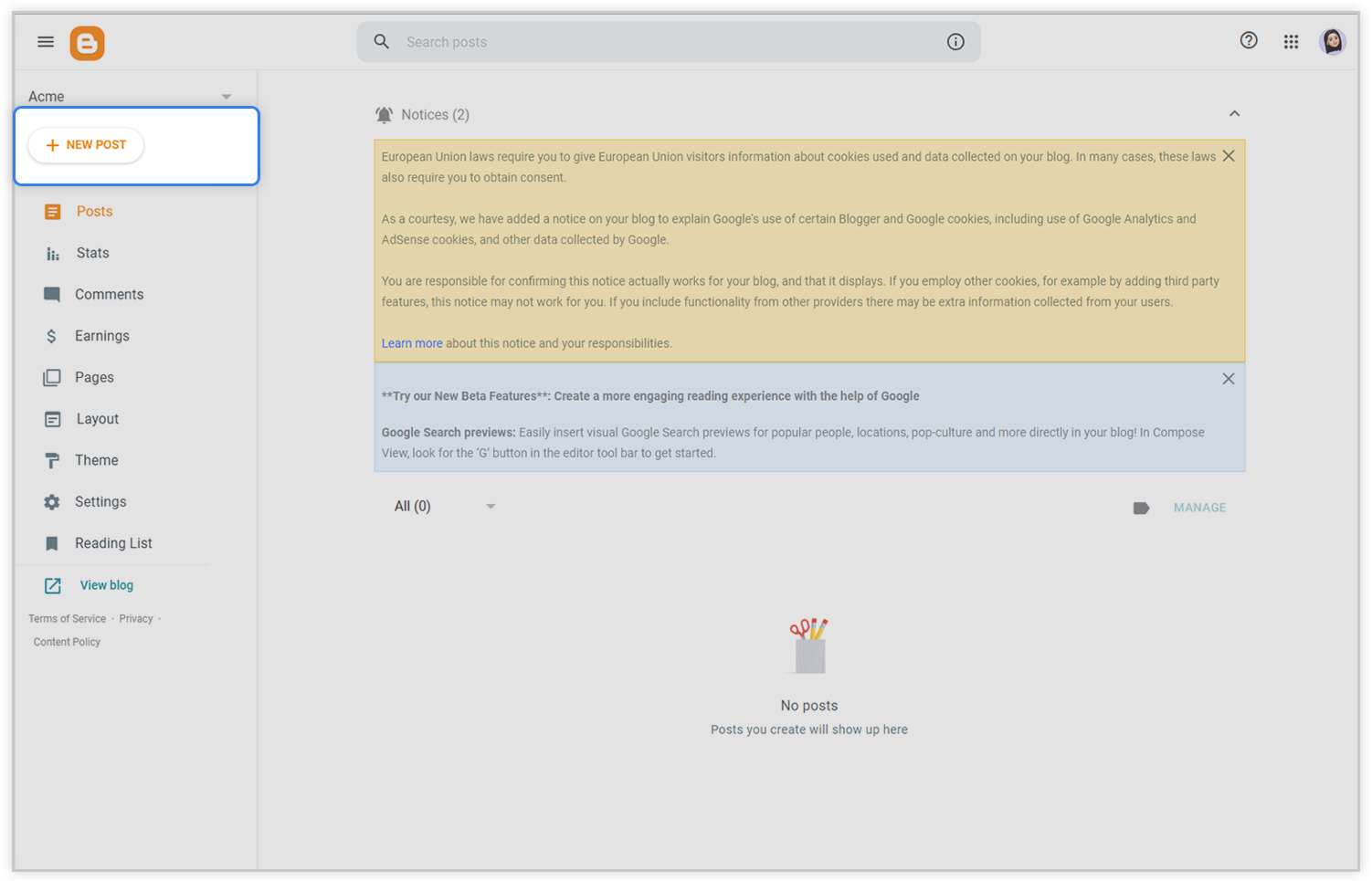
4. Now, log in to Blogger.com with your Gmail or any other email id (we assume that you already have a blog website created on Blogger) and click the New Post button on your dashboard.
5. A compose post page will appear.
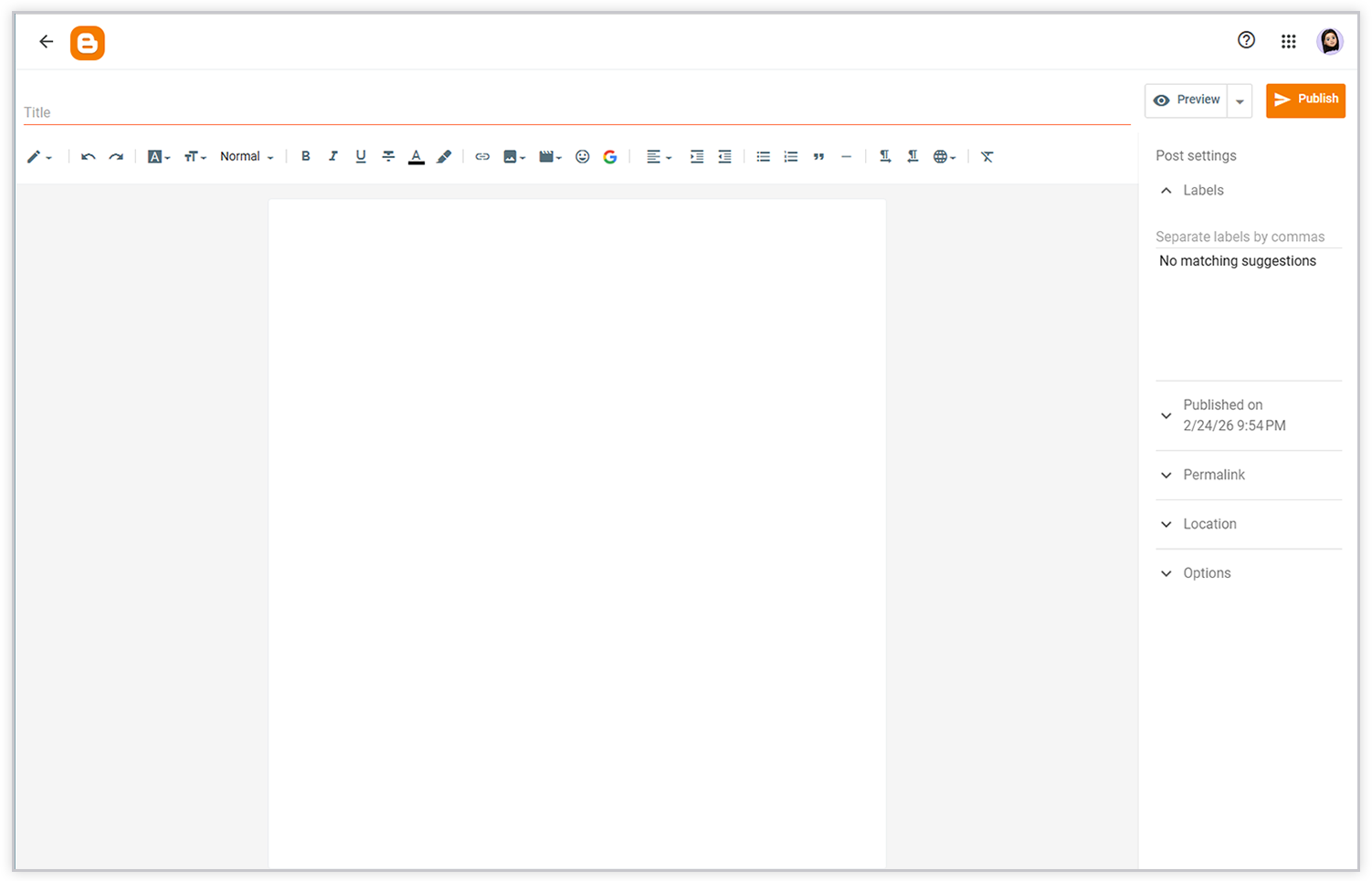
6. Then click on the HTML tab in the top left corner and paste your copied code.
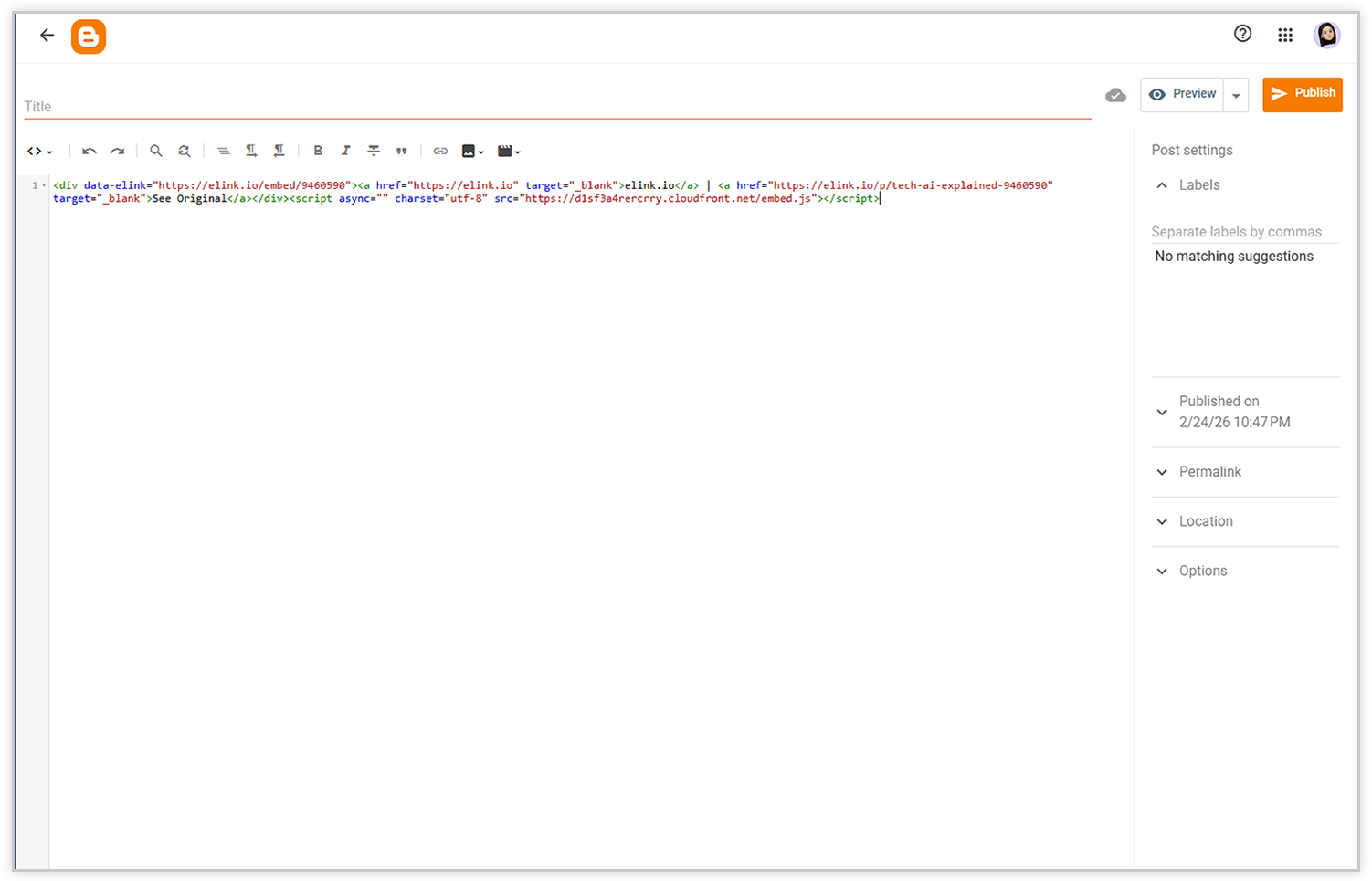
7. Finally, click on the Publish button and Boom! Watch your newsfeed come to life.
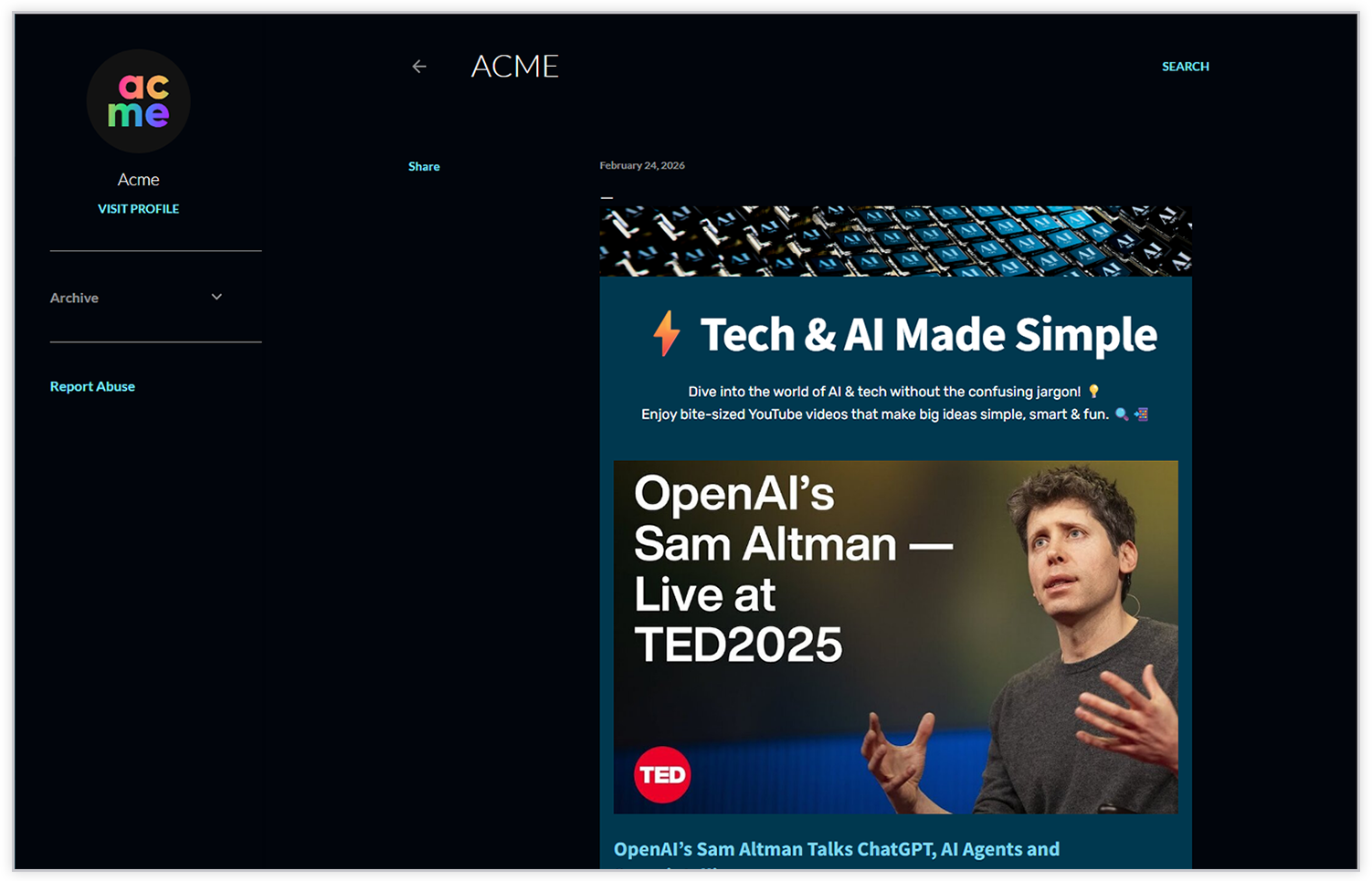
With these simple steps, you can add your Elink News Feed to your Blogger Site and publish fresh content for your viewers.
Pro Tip- Once your content has been added to your website, use elink’s Chrome Extension every day and save interesting content to your website. The best part is that as soon as you save the piece of content to your elink content board, it will reflect on your blog/website INSTANTLY!
Final Thoughts
Having a news feed post on your Blogger website can help relieve content stress, leaving you time for more important tasks, like marketing and SEO.
So, what are you waiting for? Start creating beautiful elink news feed, embed on your website, and keep your viewers hooked onto something new every single day!
FAQs
1. What is a newsfeed on Blogger?
A newsfeed is a stream of fresh content, like articles, videos, and updates, curated in one place on your blog. It keeps your readers updated without them having to visit multiple sites.
2. Do I need coding skills to add a newsfeed on Blogger?
No, there is no coding skill required to add a newsfeed on Blogger. With amazing tools like Elink.io, you can create and embed a newsfeed easily without any coding knowledge.
3. What are the benefits of adding a newsfeed to my blog?
Adding a newsfeed to your blog will keep your content up to date, allow visitors to engage with you more often, establish your blog as an authority on your niche, and provide your audience with a source of curated content, saving them time searching multiple websites for articles on subjects of interest under one location.
4. Are there widgets to display newsfeeds on Blogger?
Yes. You can use widgets or simple embed codes from tools like elink.io to display customizable newsfeeds on your Blogger site without any coding.
Keep Reading & Learning 📚
- How to Create Press Coverage Pages for Your Blogger site
- 9 Newsfeed Examples for Your Website
- How to create a news page for any website
- Add Multiple Links in One Link with elink!